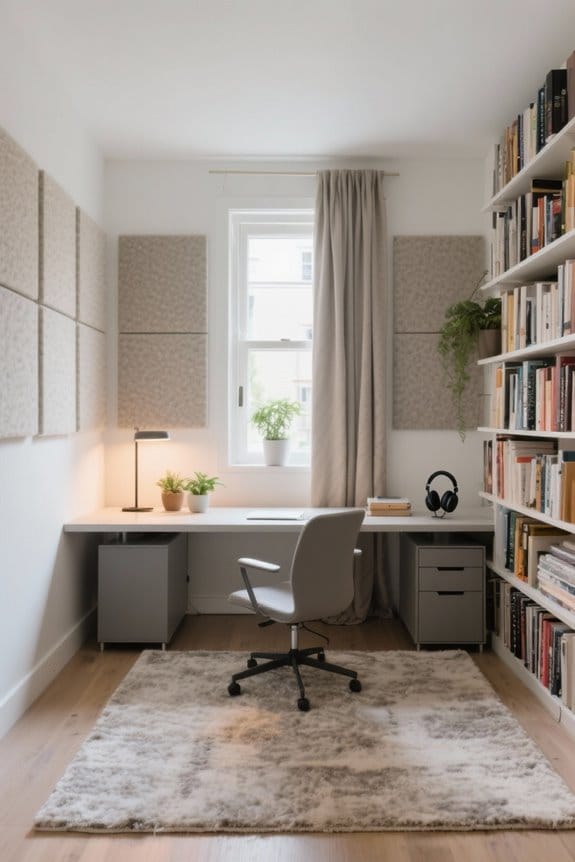
Choosing the right room lighting for a computer workstation is essential. Effective lighting enhances productivity and reduces eye strain. Aim for ambient lighting around 300-500 lux to match screen brightness. Combine natural, task, and ambient lighting for ideal comfort. Look for high CRI ratings of 80 and above for true color representation. Adjustable features like dimmers and wireless controls offer customization. Sustainable and ergonomic solutions support long-term use. Explore additional tips for maximizing your workspace lighting effectiveness.
Key Takeaways
- Ensure ambient lighting levels are between 300-500 lux to match screen brightness and reduce eye strain during computer work.
- Utilize adjustable task lighting that allows you to focus on detailed tasks while minimizing glare from screens.
- Position your workstation near windows to maximize natural light, which can boost productivity and reduce fatigue.
- Opt for lighting with a color temperature of 4000K to 5000K to simulate daylight and enhance alertness.
- Incorporate dimmable solutions and tunable color temperatures to customize lighting based on different tasks and times of day.
Importance of Workspace Lighting
Proper workspace lighting is essential for fostering an efficient and productive environment. It considerably enhances alertness and reduces the likelihood of eye strain and fatigue. The ideal lighting setup includes balanced ambient lighting of 300-500 lux, which should match the screen brightness for comfort. A color temperature range of 4000K-5000K is ideal for tasks like coding since it simulates daylight. This ambiance supports extended computer work without discomfort. Desk lamps should provide high Color Rendering Index (CRI ≥ 80) to guarantee true color representation. Such craftsmanship not only improves visual comfort but also boosts overall productivity. Investing in quality workspace lighting is a smart, sustainable choice for anyone looking to enhance their work efficiency. Consider upgrading your lighting today. Many LED desk lamps offer customizable lighting options that can cater to individual workspace needs, ensuring both comfort and productivity.
Types of Workspace Lighting

Effective workspace lighting includes various types designed to support different tasks and enhance overall productivity. Natural light is ideal for reducing stress and boosting mood, making it beneficial to place desks near windows. Task lighting, such as adjustable desk lamps, provides focused illumination for computer work, reducing shadows and glare on the screen. Ambient lighting helps distribute light evenly throughout the room, balancing task lighting and decreasing harsh contrasts that cause eye strain. Additionally, adjustable lighting solutions offer customization in direction and intensity, catering to the individual’s preferences and tasks throughout the day. A combination of natural, task, and ambient lighting types creates an effective workspace, promoting productivity and reducing discomfort for daily users. For those who stand for long periods, anti-fatigue mats can enhance comfort and reduce fatigue, making them a valuable addition to a productive workspace.
Recommended Products


Intelligent lighting in multiple formats. Adapts and transforms with your day.

Adjustable, hinged neck allows for multiple lighting options
Key Factors for Effective Lighting
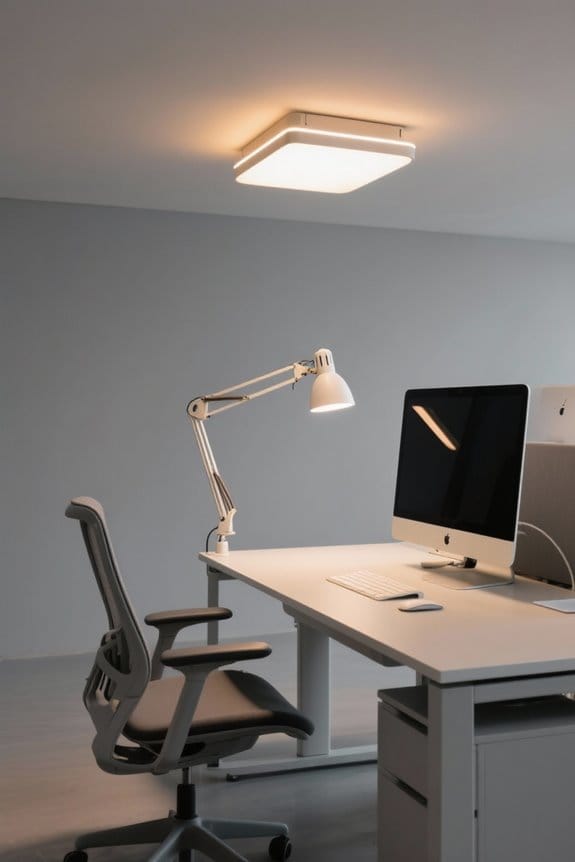
Choosing the right lighting for a workstation involves several key factors that substantially impact productivity and comfort. Ideal desk brightness should be around 500 lx for comfortable reading and writing. Color temperatures between 4000K-5000K are best for focusing on tasks like coding and data entry. A High Color Rendering Index (CRI) of 80 or above is essential for accurate color representation in visual tasks. Additionally, implementing flicker-free lighting and effective glare control helps minimize eye strain and headaches during long computer sessions. Adjustable lighting features allow users to tune brightness levels and color temperatures based on task requirements. Investing in ergonomic lighting solutions and quality desk lamps contributes to a more sustainable and efficient workspace. Using high-density memory foam in desk chair cushions can further enhance seating comfort during long working hours.
Maximizing Natural Light

Maximizing natural light in a workstation can greatly enhance the working environment. Positioning the desk near windows increases natural light exposure, helping to reduce eye strain during computer work. Studies indicate that access to natural light can boost productivity by 15% and reduce fatigue levels. Utilizing sheer curtains can soften harsh sunlight, creating balanced light that aids in focusing on the task at hand. Adjustable blinds or shades offer control over the natural light entering the workspace, allowing users to adapt to different times of day and needs. Additionally, regular exposure to natural light helps regulate circadian rhythm, leading to improved alertness. Overall, implementing these strategies promotes a more ergonomic and sustainable workstation. Ensuring that your workspace accommodates various crafting materials can also enhance overall functionality and versatility, tailoring the environment to personal and professional project demands.
Choosing Task and Ambient Lighting

Proper selection of task and ambient lighting is essential for creating an effective workstation. Task lighting should offer focused illumination with a brightness level of 450-700 lumens for ideal computer work. In contrast, ambient lighting balances surface brightness and softens shadows, ideally set between 300-500 lux. This combination reduces eye strain and enhances comfort. When choosing lighting, consider light color temperature; a range of 4000K-5000K is recommended, as this cooler tone mimics daylight and boosts alertness. Additionally, using adjustable task lamps allows for better glare management and ergonomic setups. Finally, select lighting with a high Color Rendering Index (CRI ≥ 80) to guarantee accurate color representation. Prioritize these factors for a functional and sustainable lighting solution. Incorporating elements from the workspace, such as durable materials, can further enhance the overall setup and longevity.

Recommended Products
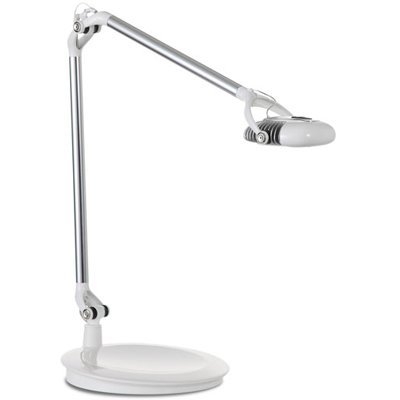

Advanced MCX LED Technology provides a large footprint of ergonomic light from a single light source, producing an even plane of illumination creating a glare-free, single shadow work environment.

Control and Adjustability of Lighting
Adjustability in lighting design plays an essential role in maintaining an effective workstation. Adjustable lighting solutions, such as dimmers and controllable desk lamps, allow users to define customizable brightness levels. Keeping lighting around 500 lx is ideal for computer work. Additionally, color tuning features support different color temperatures, ranging from 4000K-5000K for focused work to 2700K-3000K for relaxation. Desk lamps with eye-care technology can minimize strain during extended use, promoting healthier viewing conditions. The use of task lamps with flexible arms can direct light accurately, effectively reducing glare and improving clarity. Wireless controllers for smart lighting systems enhance functionality, facilitating seamless shifts between day and night modes. Regularly auditing light settings for visual comfort can optimize performance and prevent eye strain, ensuring a healthy and productive workspace. Change your workstation today to improve efficiency!
Recommended Products

SCULPTURAL CENTREPIECE — The Paget unites 9 LED lights across a 20-inch chrome chandelier frame in a transitional, considered composition. A chrome multi-light chandelier sized to anchor a dining room or entryway.

Large, single tier chandelier harnessing the robust industrial design of the Hinkley Wells family

Classic, elegant lines and timeless details enhance a traditional space
Managing Glare in Your Workspace
Glare in the workspace can disrupt focus and hinder productivity. It often results in eye strain, impacting comfort during computer tasks. Two types of glare exist: direct glare from light sources and reflected glare from screens. Effective workspace design is essential to minimize both. Position monitors at a right angle to windows and avoid placing bright lights directly in front or behind the screen. Utilizing soft, indirect lighting instead of harsh overhead lights can greatly improve the visual environment. In addition, implementing a monitor light bar can enhance visibility without creating screen reflections, effectively reducing glare. Thoughtful lighting choices not only promote comfort but also support better performance in daily tasks. Consider using a monitor stand riser with storage to elevate your screen to the optimal viewing height, which can further reduce eye strain and improve posture. Invest in ideal workspace lighting for improved productivity.
Recommended Products


DESKTOP DIAL: Built-in ambient light sensor in the Desktop Dial enables you with simply one touch for the best brightness level; Let the auto-dimming function do the job. You can also manually adjust the brightness and color temperature any moment. Easy to use with precision. (Remove Protection Sponge Before Using It, Or It Will Impact The Function Of Power On/ Off)

【Glare-free lighting】The light of this screen light bar comes from the center and the front, and at a perfect angle, it can provide enough light for your desk and keyboard without any glare on your screen. In addition, the shadow it casts is basically zero.
Recommended Lighting Fixtures
When selecting lighting fixtures for a workstation, the right choices can significantly impact productivity and comfort. Desk lamps should provide a brightness level of around 500 lx to keep work clear and reduce eye strain. Monitor light bars are essential for minimizing screen reflections and enhancing visibility during tasks. Additionally, adjustable floor lamps can cast soft, indirect light that balances ambient lighting with task lighting, promoting a comfortable atmosphere. Overhead lights should complement this setup, ensuring they do not cause glare. By utilizing dimmable fixtures, users can control brightness throughout the day. Combining these lighting solutions creates an effective, ergonomic workspace that enhances focus and performance. Prioritize these recommendations to develop an ideal workstation environment. Consider desk lamps with eye care technology to reduce strain during long hours of use.
Recommended Products

💡【ULTRAWIDE ILLUMINATION】: BenQ e-Reading Desk Lamp utilizes OVAL-Light technology to illuminate a 35.4" x 26.7" (90cm x 68cm) wide area, which is wider than the average desk lamp, ensuring a minimum of 500 lux. You no longer need to suffer from insufficient light while reading or working!

Sleek Modern Design: With its mid-century silhouette and black lacquer finish, this desk adds a bold, contemporary look to any room, effortlessly blending style and sophistication into your workspace.

[Space saving & Patented Clamp Design] The patented clamp design allows the light bar stably placed on the monitor, thereby declutter and free up desk space. The led light is perfect for monitors with a thickness from 1-3cm and is compatible to extra-wide and curved monitors from 1800R and above
Creating a Balanced Lighting Setup
Creating a balanced lighting setup is vital for enhancing productivity in a workstation. Professionals should aim for a desk brightness of around 500 lux for ideal comfort. A mix of ambient lighting and task lighting is essential, as this combination helps to create a balanced visual environment that reduces eye strain. The ideal color temperature should range from 4000K to 5000K, fostering focus during tasks like coding. To maximize natural light, position your desk strategically, minimizing glare from windows and screens. It is also important to adjust good lighting based on the time of day and specific tasks. This thoughtful approach not only promotes wellness but also enhances overall efficiency in work settings. When setting up your workstation, it’s important to consider printer compatibility for any additional devices you may use, ensuring seamless integration and efficiency.
Frequently Asked Questions
What Is the Best Lighting for a Computer Workstation?
The best lighting for a computer workstation blends LED brightness levels between 300-500 lux, employs natural light benefits, utilizes glare reduction techniques, includes ambient light sources, and incorporates task lighting options to prevent eye strain effectively.
What Is the 3 Lighting Rule?
The 3 lighting rule emphasizes using ambient light, task lighting, and accent lighting to achieve ideal workspace ergonomics. Incorporating adjustable fixtures and considering color temperature enhances glare reduction, while LED benefits cater to personal preference for comfort.
What Type of Light Is Best for Computer Work?
The best type of light for computer work includes task lighting and natural light, utilizing a color temperature of 4000K-5000K. Proper brightness levels and light placement enhance workspace ambiance while minimizing eye strain effectively.
Is 3000K or 4000K Better for Home Office?
For home offices, 4000K office lighting enhances productivity, reduces glare, and improves mood. Its energy efficiency and design aesthetics make it preferable over 3000K, aligning with health benefits through ideal color temperature for focused tasks.