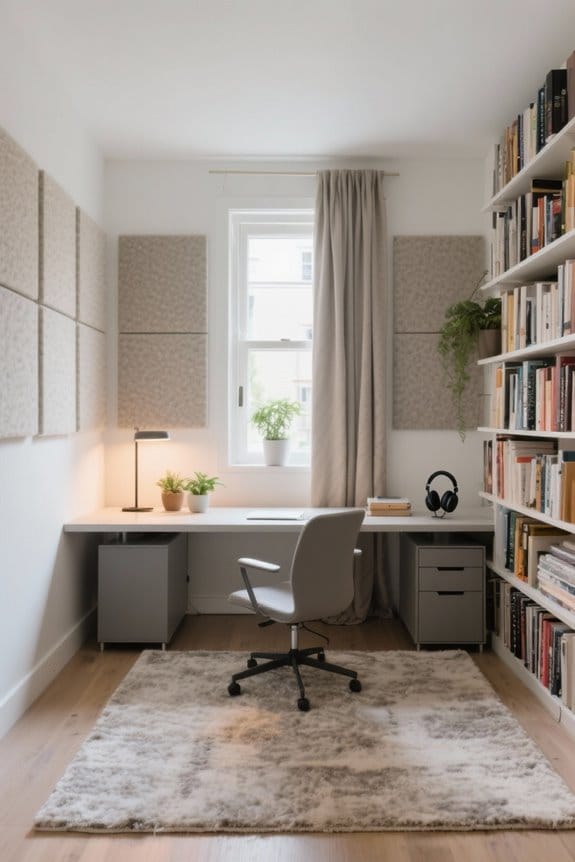
A corner desk setup for multi-monitor workflows can enhance productivity and streamline tasks. Positioning monitors at eye level reduces strain and promotes comfort. Using adjustable monitor arms allows for ideal viewing angles and easy adjustments. Implementing cable management solutions keeps the workspace organized and neat. Choosing ergonomic furniture, like height-adjustable desks and supportive chairs, improves health during long working hours. These features combine to create a functional workspace that supports efficient work processes. Discover more effective design strategies to maximize your setup.
Key Takeaways
- Position monitors diagonally in the corner to create an ergonomic viewing arc, enhancing comfort and reducing neck strain.
- Use an L-shaped desk to maximize screen real estate while ensuring a tidy workspace that fits into corners efficiently.
- Implement adjustable monitor arms to optimize visibility and positioning of multiple monitors to minimize eye strain and improve workflow.
- Incorporate effective cable management solutions, such as trays or clips, to maintain an organized corner desk setup and prevent clutter.
- Choose a height-adjustable desk to alternate between sitting and standing, improving circulation and overall health during extended work hours.
Benefits of Using Multiple Monitors
Utilizing multiple monitors can greatly enhance productivity in various work environments. Desk dual monitor setups maximize space and boost productivity by allowing users to view multiple applications simultaneously. This increased screen real estate helps reduce mental clutter and distractions while improving focus. Enhanced multitasking capabilities enable professionals, such as analysts and developers, to efficiently analyze data or compare information on different screens. For remote workers, creating an efficient workspace organization becomes simpler, zoning tasks for better efficiency. Additionally, using multiple monitors can aid in reducing eye strain by adjusting the height and angle of each monitor. Monitor stands with drawers offer an ergonomic design, helping to maintain proper eye level and reduce neck strain. Overall, adopting a multi-monitor setup offers numerous benefits, making it an ideal choice for those seeking to improve their workflow.
Creative Corner Desk Setup Ideas

A well-planned corner desk setup can greatly enhance productivity for users who rely on multiple monitors. Positioning monitors diagonally creates an ergonomic viewing arc, reducing neck strain. A dual monitor desk paired with monitor arms allows for versatile height adjustments, improving visibility. This setup can maximize efficiency, especially when dealing with long documents. An L-shaped desk fits neatly into the corner, effectively maximizing screen real estate. Incorporating cable management solutions keeps cords organized, promoting a clean workspace. Additionally, adding task lighting and natural wood accents can improve aesthetics and function, fostering creativity. A well-crafted corner desk can support both productivity and comfort, making it a practical choice for any workspace. Incorporating an electric height adjustable standing desk can further enhance comfort and flexibility, allowing seamless transitions between sitting and standing positions.
The Minimalist Approach to Multi-Monitor Workflows

While embracing a minimalist approach to multi-monitor workflows, individuals can create an organized and efficient workspace. A clutter-free environment enhances focus and boosts productivity. Using a monitor stand for dual monitors helps optimize desk space by elevating screens to eye level, which may reduce eye strain. Light-toned surfaces and sleek designs in a minimalist setup minimize visual noise. Additionally, prioritizing wireless peripherals, such as keyboards and mice, simplifies the workspace and reduces cable clutter. Incorporating greenery, like low-maintenance plants, adds a natural touch and improves air quality. By focusing on essential elements, optimizing your workspace can create an inviting atmosphere conducive to productivity. This thoughtful design promotes a balance of functionality and aesthetics that is vital for a successful multi-monitor experience. Adjustable height desks enhance work experience by allowing users to switch between sitting and standing, thereby promoting better posture and reducing the risk of sedentary behavior.
Optimizing Ergonomics in Your Setup

Creating a comfortable workspace is just as important as maintaining a clean environment. To enhance ergonomics in multi-monitor setups, position monitors at eye level or slightly below. This reduces neck strain and supports comfort during long periods of work. An adjustable monitor arm allows for flexible positioning, ensuring ideal viewing angles. A height-adjustable desk enhances comfort by enabling users to alternate between sitting and standing, which helps alleviate lower back pressure. An ergonomic chair with adjustable lumbar support and armrests is crucial for maintaining proper posture. Finally, an anti-fatigue mat is essential when using a standing desk, providing cushioning that improves overall comfort. Establishing these ergonomic elements promotes health and boosts productivity in any corner desk setup.
Cable Management Solutions for a Neat Workspace

Effective cable management enhances any multi-monitor workspace by promoting organization and efficiency. Implementing cable management solutions, such as cable trays and cord organizers, prevents tangling and secures cables in a corner desk setup. This improves aesthetics and functionality, making for an organized workspace. Adhesive cable clips can secure cables along desk edges or walls, minimizing clutter. Additionally, color-coded cable sleeves or ties help users differentiate between power, data, and display connections with ease. Regular maintenance of these cable management solutions prevents wear and tear, ensuring reliable connections and prolonging equipment lifespan. Incorporating vertical cable management options, like boxes, can further enhance the overall organization of the monitor setup. Many of these cable management solutions are designed with fire-resistant materials to enhance safety and prevent potential hazards in the workspace. Consider these steps to achieve an effective and tidy workspace.
Personalizing Your Corner Desk Environment
A personalized corner desk environment can greatly enhance productivity and comfort. Personalizing your workspace with ergonomic accessories, such as adjustable monitor stands and keyboard trays, guarantees better posture and reduces strain. Incorporating natural elements, like low-maintenance plants, can improve air quality, making the space feel more inviting. Effective cable management solutions, including cable trays or clips, keep the desk tidy and minimize distractions. Aesthetic options in colors like black, white, or silver enhance the design appeal of workspaces, contributing to a professional and cohesive look. Adding personalized decor, such as artwork or motivational quotes, can encourage creativity and focus. Finally, selecting a color scheme that reflects individual personality promotes a calm atmosphere, enhancing overall well-being. By thoughtfully personalizing each aspect, one can create a workspace that bolsters efficiency and reflects personal style.
Choosing the Right Technology for Your Needs
How does one select the right technology for a multi-monitor workflow? First, consider a dual monitor setup with larger screens, ideally 27 inches or more. This size improves visibility and productivity. When choosing the right monitors, keep in mind to match resolutions and refresh rates for a seamless visual experience. The primary monitor should be positioned at eye level, utilizing ergonomic features like adjustable height options. Connecting your devices requires checking input connectivity options such as HDMI, DisplayPort, and USB-C. For those working in design or media, invest in high-quality monitors with anti-glare screens and accurate color reproduction. These factors all contribute to optimizing workspace efficiency and comfort. Additionally, consider using an L-shaped desk to maximize corner space, as it can accommodate multiple monitors and provide ample room for other office tools.
Enhancing Comfort and Health in Your Workspace
Creating a comfortable and healthy workspace is a key factor in optimizing productivity. An ergonomic chair with adjustable lumbar support promotes good posture, reducing the risk of long-term back pain. Incorporating adjustable monitor arms or monitor stands can position screens at eye level, helping to reduce eye strain and enhancing workspace comfort during multi-monitor workflows. Height-adjustable desks allow users to switch seamlessly between sitting and standing work hours, improving circulation and reducing sedentary time. Additionally, using an anti-fatigue mat can alleviate leg and back pressure during standing time, further enhancing comfort. Regular movement breaks or stretches improve physical comfort and foster mental focus. Investing in these components can lead to a healthier, more efficient workspace.
Frequently Asked Questions
How Do I Choose the Right Desk Size for My Corner Setup?
To choose the right desk size for a corner setup, consider desk dimensions that maximize the work area, guarantee ergonomic height, allow for effective monitor placement and cable management, and align with aesthetic preferences for space optimization and workflow efficiency.
What Monitor Stands Are Best for Corner Desk Arrangements?
Adjustable stands, wall mounts, and monitor risers create a harmonious workspace. Ergonomic designs enhance comfort, while stylish options and budget picks cater to various tastes. Heavy-duty and portable solutions offer flexibility and efficient cable management for neat arrangements.
Can I Use Different Brand Monitors Together?
Different brand monitors can be used together, but maintaining monitor compatibility is essential. Variations in screen resolution, aspect ratios, and color calibration may affect visual consistency, necessitating adjustments in display settings and effective cable management.
How to Prevent Neck Strain With a Corner Desk?
To avoid neck strain, one should guarantee monitor height aligns with eye level, adjust screen angle, strategically place the keyboard, optimize workspace lighting, use an ergonomic chair, and incorporate frequent breaks and stretch exercises for posture alignment.
What Accessories Enhance a Multi-Monitor Corner Desk Experience?
Monitor mounts, cable management systems, and ergonomic chairs enhance a multi-monitor experience. Incorporating desk organizers, adjustable keyboard trays, speaker stands, power strips, and appealing lighting options alongside wall art can create a productive workspace.