To deep clean a workstation without damaging electronics, first power off and unplug all devices. Declutter the workspace for better accessibility. Use compressed air to remove dust from internal components while maintaining a safe distance. Clean external surfaces with a microfiber cloth and a mild solution. Conduct regular maintenance every few months to maintain peak performance. These practices guarantee a hygienic and efficient workstation. Discover more effective cleaning techniques and safety measures for your workspace.
Key Takeaways
- Power off and unplug all devices before starting the cleaning process to ensure safety and prevent electrical hazards.
- Utilize compressed air from a distance to blow out dust, avoiding moisture build-up in electronic components.
- Use microfiber cloths lightly dampened with distilled water or a mild solution for cleaning external surfaces without causing damage.
- Wear an anti-static wrist strap while cleaning internal components to prevent static discharge that could harm sensitive electronics.
- Regularly schedule deep cleaning every three to six months to maintain optimal airflow and functionality of your workstation.
Preparing Your Workstation for Cleaning
Before diving into the cleaning process, it is essential for individuals to prepare their workstation effectively. First, power off and unplug all devices to guarantee safety during the cleaning. Next, declutter the workspace by organizing and removing unnecessary items, creating a safe environment for effective cleaning. Designate a specific area for disassembling components to prevent confusion during reassembly. Prepare essential cleaning tools such as microfiber cloths and a vacuum cleaner for dust removal. Additionally, sealing any cracks and verifying the area is clear minimizes contamination risks. By thoroughly preparing the workstation, individuals set the stage for a successful deep clean, promoting a tidy, efficient, and ergonomic workspace that supports productivity and craftsmanship. Enhanced comfort and productivity through ergonomic designs can also be achieved by choosing the right desk accessories and layout.
Effective Techniques for Cleaning Internal Components
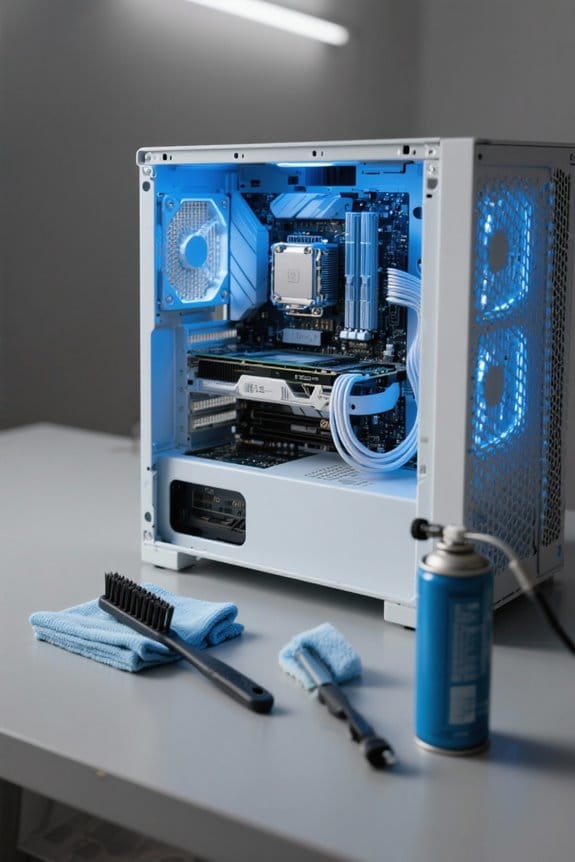
After preparing the workstation for cleaning, attention turns to the internal components that require careful maintenance. First, always power off and unplug the workstation to prevent electrical shock. Using compressed air, carefully blow out dust buildup from hard-to-reach areas like fans and circuit boards, maintaining a distance of at least 24 inches. Anti-static brushes and wrist straps help reduce static electricity when handling sensitive parts. If possible, remove internal fans to clean them thoroughly without moisture. Most cooling pads require USB connectivity for operation, which eliminates the need for additional outlets and enhances portability. Regular maintenance is essential; inspecting and cleaning these components every 3-6 months guarantees optimal airflow and prevents overheating. By applying these techniques, users can extend the lifespan of their workstation and maintain overall performance.
Safe Methods for Cleaning External Surfaces
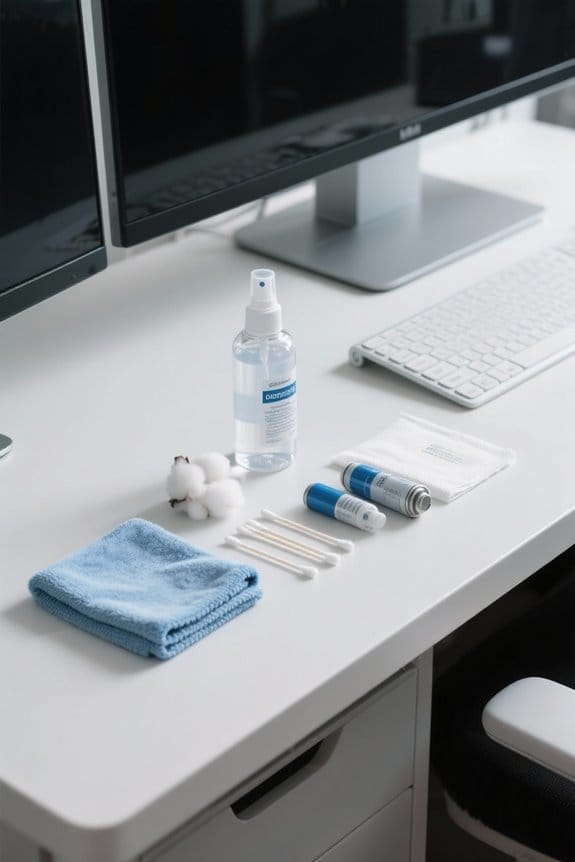
Cleaning external surfaces of a workstation is essential for maintaining a clean and efficient workspace. To begin, always power off and unplug devices to avoid hazards. Use a microfiber cloth lightly dampened with distilled water or a mild solution to gently wipe down surfaces. It is important to avoid using household cleaning products, which may damage equipment. For plastic and metal parts, a diluted isopropyl alcohol solution is effective for sanitizing. Additionally, use compressed air in short bursts to remove dust from crevices, ensuring to maintain a distance of 24 inches. Regular cleaning of frequently touched areas, like keyboards and mice, minimizes germ accumulation and supports a healthier work environment. Utilizing durable materials in cleaning supply organizers can enhance longevity and resist wear and tear. Prioritize professional cleaning for ideal results.
Maintaining Cleanliness With Regular Upkeep

A clean workstation is vital for productivity and well-being. To maintain cleanliness, establish a regular cleaning schedule. Monthly external cleaning helps reduce dust accumulation, while deep cleaning of internal components should occur every three to six months. Regularly dust surfaces with a microfiber cloth to minimize allergens and bacteria. When cleaning electronics, use compressed air to effectively blow out dust from keyboards and fans, taking care not to push dust deeper into components. It is important to avoid using household cleaners on electronic equipment. Regularly inspect devices for visible dirt and signs of overheating. Prompt action can prevent performance issues from dust accumulation, guaranteeing equipment remains functional and hygienic. Implementing these practices guarantees a healthy workspace. Consider investing in under-desk filing cabinets to promote organization and reduce visual clutter, enhancing both cleanliness and accessibility.
Safety Precautions to Keep in Mind

Ensuring a safe environment is just as important as maintaining cleanliness in a workstation. First, always unplug devices before cleaning to prevent electrical hazards and potential short circuits. Wearing an anti-static wrist strap is vital to avoid static discharge, which can harm sensitive components. When using compressed air, apply it sparingly and from a safe distance to prevent moisture build-up. Proper ventilation is essential when using cleaning solutions to minimize inhalation risks. Finally, avoid regular vacuum cleaners and opt for specialized vacuums designed for electronics. These vacuums reduce the risk of static electricity, ensuring the safety of the workstation. By following these safety precautions, individuals can maintain a safe and effective workspace. Additionally, incorporating noise reduction capabilities into the workspace, such as using curtains that reduce sound levels, can enhance focus and comfort in busy environments.
Frequently Asked Questions
How to Clean Electronics Without Damaging Them?
“An ounce of prevention is worth a pound of cure.” Safeguarding screens involves gentle wiping with proper microfiber cloths, regular maintenance, and using appropriate cleaning solutions for dust removal, while avoiding moisture near electrical contacts and ensuring keyboard care.
Is 70% Isopropyl Alcohol Ok for Electronics?
Yes, 70% isopropyl alcohol is suitable for electronics care, providing streak-free solutions for surface cleaning. It’s essential to follow safety precautions and consider cleaning frequency to enhance component maintenance and prolong electronics lifespan through effective disinfecting methods.
How to Clean a Computer Without Damaging It?
In a symphony of diligence, proper computer maintenance tips harmonize with keyboard cleaning techniques and screen cleaning methods. Following dust removal strategies and electronic sanitization steps guarantees longevity, while workspace organization ideas enhance workstation efficiency and laptop care.
What Cleaners Are Safe for Electronics?
Safe cleaning methods for electronics include microfiber cloths, electronic wipes, and isopropyl alcohol. Natural cleaning solutions like vinegar mixtures and essential oils can also be used. Regular cleaning frequency aids dust prevention and enhances surface protection.