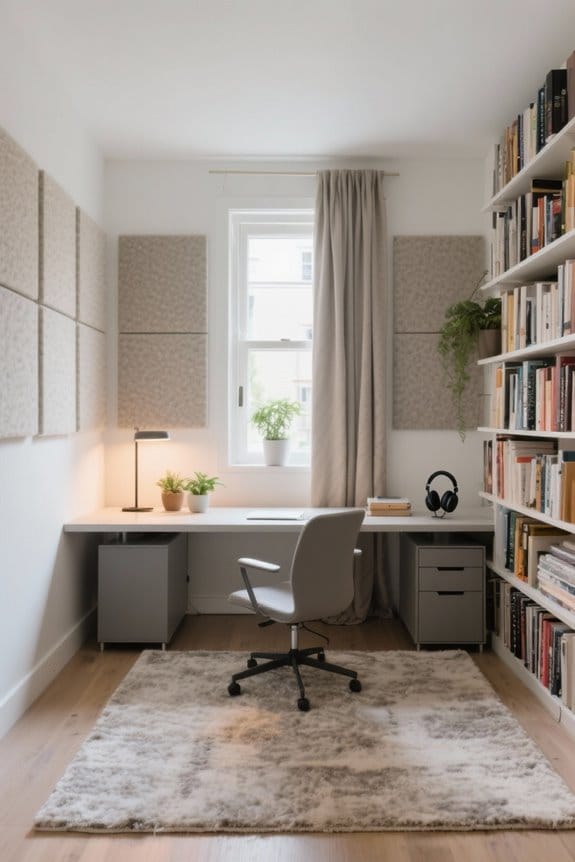
An L-shaped desk setup can efficiently separate digital and analog work zones. Designate one side for your computer, ensuring monitors are at eye level and cables are well managed. Use the other side for writing and physical documents, incorporating storage solutions. Prioritize ergonomic adjustments, like desk height and chair positioning, to maintain comfort. Personalized elements, such as plants or artwork, can enhance focus. Learn how to optimize your workspace further for maximum productivity and organization.
Key Takeaways
- Designate one leg of the desk for digital work and the other for analog tasks to create clear boundaries.
- Organize monitors and keyboards in the digital zone for easy access and efficient workflow.
- Allocate writing materials and documents to the secondary leg for a clutter-free analog workspace.
- Implement effective cable management to separate digital and analog zones, keeping cables organized and out of sight.
- Adjust ergonomic features to ensure comfort across both work zones, including monitor height and chair positioning.
Choosing the Right L-Shaped Desk for Your Workflow
What factors should be considered when choosing an L-shaped desk? An L-shaped desk provides distinct zones that enhance organization and productivity. Look for a design that supports efficient cable management, keeping your primary workspace tidy. Premium materials, such as sintered stone, guarantee durability and a professional appearance. Ergonomic advantages are crucial; height-adjustable options promote comfort by allowing for seamless shifts between sitting and standing. Additionally, a slim-profile desk can maximize corner space, assuring your room feels spacious without clutter. This type of setup encourages improved workflow and ease of movement. Consider integrated storage solutions that keep essential items accessible while minimizing distractions. When selecting furniture, ergonomic design is essential to reduce physical strain and enhance long-term comfort. Ultimately, a well-chosen desk can considerably enhance any workspace.
Creating Distinct Work Zones: Digital vs. Analog

Establishing distinct work zones in an L-shaped desk setup can considerably enhance productivity. By designating one leg for digital workspaces and the other for analog work, users can reduce clutter and improve focus. Digital zones should feature organized tools like monitors and keyboards for easy access. Meanwhile, allocate the secondary leg for writing materials and documents, promoting task management through physical movement. Proper cable management systems will help separate these areas, maintaining a clean aesthetic and minimizing distractions. Additionally, ergonomic setups are essential. Make certain that monitor height and keyboard position are balanced in the digital zone while arranging analog resources for quick access. This layout fosters productivity and supports a balanced workflow in everyday tasks. When selecting an office desk, consider the storage capacity to ensure your workspace remains organized and efficient.
Ergonomic Considerations for Maximum Comfort

How can a workspace be optimized for comfort and efficiency? Proper ergonomic setup is essential for maintaining comfort and health while working. First, verify that chair adjustments allow for feet flat on the floor and knees at a 90-degree angle, promoting healthy posture. The desk height should also keep elbows at a 90-degree angle while typing to prevent strain. Positioning monitor arms so that the screen is at eye level reduces neck strain. Additionally, keep the keyboard and mouse within reach in the primary work zone to increase efficiency and prevent shoulder strain. Implementing a sit-stand cadence, alternating positions every 30-60 minutes, can enhance circulation. Ergonomic desk converters significantly enhance comfort and productivity by allowing seamless transitions between sitting and standing positions. By prioritizing these ergonomic considerations, a productive workspace is achievable.
Effective Cable Management for a Clean Workspace

Effective cable management transforms a chaotic workspace into an organized and efficient environment. To achieve a streamlined appearance in a desk setup, using under-desk trays can conceal power strips and excess wiring, greatly reducing visual clutter. Implementing cable management solutions, such as adhesive clips and cable sleeves, helps route cables along desk legs, preventing tangling. It’s essential to leave slack in cables for height adjustments on standing desks to maintain functionality and safety. Additionally, opting for a single cable drop from the corner desk to the wall outlet minimizes visible wiring, enhancing the clean aesthetic. Regularly evaluating and tidying cable arrangements fosters an organized workspace, ultimately boosting workspace productivity across separate work zones. Consider using fire-resistant materials in cable organizers to enhance safety and protect your workspace from potential hazards.
Personalizing Your Environment for Enhanced Focus

A well-designed workspace can noticeably enhance focus and productivity. For those using L-shaped desks, personalizing work zones is crucial. Adding personal items, such as artwork or plants, can inspire creativity while aligning with minimalism. This balance fosters an environment conducive to enhancing focus. Utilizing vertical storage helps keep essentials accessible, reducing mental clutter on the desktop. A thoughtful color palette, featuring soft blues or greens, promotes calmness and positively influences workspace productivity. Regularly evaluating and removing unnecessary items will sustain a clear and organized environment, fundamental for maintaining mental clarity. Consider incorporating a standing desk balance board to improve posture and enhance overall comfort during work hours.
Tips for Maintaining an Organized and Productive Setup
Maintaining an organized and productive setup on an L-shaped desk requires deliberate planning and attention to detail. First, establish clear workflow zones by designating one surface for digital tasks and another for analog activities. This separation minimizes distractions and enhances focus. Utilize ergonomic accessories like monitor risers and adjustable chairs to promote good posture and reduce strain during work. Implement effective cable management solutions, such as under-desk trays, to keep cords organized and prevent clutter. Regularly declutter each workspace zone by removing unnecessary items, ensuring only essential tools remain accessible. Finally, add personalized decor that complements your workflow zones, fostering an inspiring yet minimalist environment that boosts productivity in your workspace. Consider using noise reduction capability mats to further enhance workspace tranquility and productivity.
Frequently Asked Questions
How Do I Choose Decorative Elements for My Desk Setup?
To choose decorative elements for a desk setup, one must weave a tapestry of wall art, a harmonious color palette, desk accessories, personal photos, and inspirational quotes, ensuring theme consistency, mood lighting, and organized clutter for functional decor.
What Types of Storage Solutions Work Best for L-Shaped Desks?
Effective storage solutions for L-shaped desks include drawer organizers, modular storage, and labeled bins. Shelving units, wall-mounted shelves, under-desk cabinets, file cabinets, decorative boxes, cable management, and desktop trays enhance organization and overall workspace efficiency.
How Can I Improve Lighting in My Workspace Effectively?
To enhance workspace lighting, one might strategically position windows for natural light, incorporate desk lamps with light colors, add overhead fixtures, and layer various brightness levels, creating an ambient mood perfect for focused tasks and light therapy.
What Is the Best Way to Separate Work Zones Visually?
To visually separate work zones, one can utilize visual barriers like decorative screens, employ distinct color schemes, incorporate desktop dividers, and strategically position furniture. Additionally, area rugs, wall art, and acoustic panels enhance the separation further.
Can I Use Plants to Enhance Productivity in My Setup?
Research indicates that office greenery can boost productivity by up to 15%. Incorporating plants enhances focus, mood, and stress relief, while also improving air quality and desk aesthetics, creating an inviting workspace ambiance with natural elements.