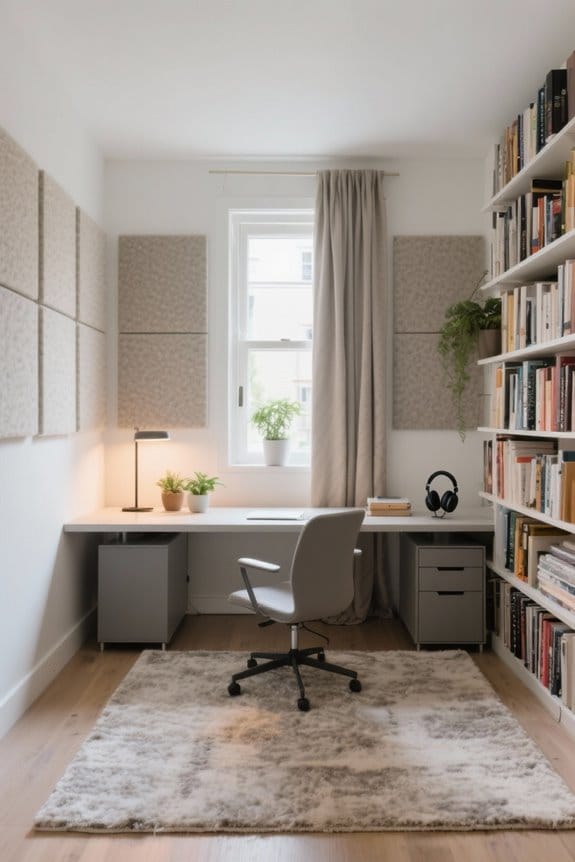
A proper workstation setup is essential for individuals who wear glasses. Position screens at eye level and guarantee they are 20-28 inches away. Optimize brightness and contrast according to ambient light while minimizing glare with anti-glare filters. Use blue light filters to reduce eye strain, and maintain good air quality to prevent dryness. Regular breaks using the 20-20-20 rule and eye exercises promote eye health. Discover more tips for creating a comfortable and effective workspace.
Key Takeaways
- Position your monitor at eye level and an arm’s length away to minimize neck strain and enhance visual clarity for glasses wearers.
- Adjust screen brightness to match ambient light, ideally between 50%-75%, to reduce glare and improve text readability.
- Use an anti-glare screen filter or choose matte finish monitors to decrease reflections and eye fatigue when wearing glasses.
- Maintain a clutter-free workspace with ergonomic organizers to enhance focus and comfort, promoting productivity for glasses wearers.
- Follow the 20-20-20 rule by taking breaks every 20 minutes to look at something 20 feet away for 20 seconds to alleviate eye strain.
The Importance of Proper Screen Positioning
Proper screen positioning plays an essential role in the comfort and productivity of glasses wearers. The monitor should be set at a comfortable height, ideally at or slightly below eye level. This adjustment helps maintain a natural posture and reduces neck strain, which can occur with poor viewing angles. To maximize clarity and minimize eye fatigue, the monitor distance should be an arm’s length, approximately 20-28 inches away. Additionally, tilting the screen backward at a 10-20 degree angle can effectively reduce glare. Regularly adjusting these settings is crucial for achieving an ergonomic setup that supports prolonged work sessions. By prioritizing proper screen positioning, glasses wearers can enhance their overall experience and productivity at work. For those working from home, investing in compact and portable devices like ergonomic desks and adjustable monitors can greatly enhance comfort and efficiency.
Ideal Viewing Distance for Your Monitor

Finding the ideal viewing distance for a monitor is vital for maintaining visual comfort and productivity. This distance typically ranges from 20 to 28 inches from the eyes. Positioned at arm’s length, the monitor allows for natural focus, reducing strain during long periods of use. Additionally, placing the top of the screen at or slightly below eye level minimizes neck strain and supports a neutral head position. Proper distance also helps reduce glare and reflections, which is essential for glasses wearers. Regular adjustments for best comfort can enhance visual clarity and lessen the need for squinting, particularly for individuals relying on corrective lenses. Adopting these strategies promotes a more ergonomic and productive workspace. To further enhance comfort, consider incorporating ergonomic designs that support proper posture and incorporate high-density memory foam for lasting comfort.
Optimizing Screen Brightness and Contrast

Ideal screen brightness and contrast are fundamental components in creating an ergonomic workstation for glasses wearers. Adjusting screen brightness to match ambient light is vital; recommended levels range from 50% to 75% to prevent glare and reduce eye strain. Setting appropriate contrast levels guarantees comfortable viewing, making text more readable. Regularly checking screen settings throughout the day helps maintain peak conditions as natural light changes. Implementing the 20-20-20 rule encourages users to take breaks, allowing eyes to relax and refocus. Additionally, consider software that adjusts screen brightness and contrast based on time of day or surrounding light. It’s also important to choose ergonomic organizers to maintain a clutter-free workspace, which can enhance focus and productivity. These practices enhance not only comfort but also productivity, especially for individuals who wear glasses.
Reducing Glare for Comfortable Viewing

How can individuals effectively reduce glare for a more comfortable viewing experience? To minimize visual discomfort, positioning the monitor perpendicular to windows is essential. This setup reduces glare from natural light, enhancing clear visibility for glasses wearers. Utilizing anti-glare screens or monitors with a matte finish can further mitigate reflections that cause eye strain. Adjusting the brightness and contrast settings to match the surrounding lighting conditions optimizes comfortable viewing. Incorporating soft ambient lighting and desk lamps that direct light away from the screen also minimizes glare. Finally, regular cleaning of both the computer screen and glasses lenses is vital. This maintenance removes dust and smudges, allowing for a clear vision and improved user comfort. For those using adjustable height desks, smooth height adjustment is essential for user convenience, ensuring that the monitor can be easily positioned to reduce glare and provide the best viewing angle.
Implementing the 20-20-20 Rule

Glasses wearers often experience increased eye strain due to prolonged screen exposure. Implementing the 20-20-20 rule can help reduce strain considerably. This practice involves looking at something 20 feet away for at least 20 seconds every 20 minutes. This break allows the eye muscles to relax and recover from continuous screen time, enhancing overall eye health. Research shows that adhering to this rule can reduce symptoms of digital eye strain, like dryness and blurred vision. Setting reminders can assist glasses wearers in maintaining this essential routine. Regularly practicing the 20-20-20 rule not only improves visual comfort but also supports long-term eye health, which is crucial for anyone in an ergonomic workspace. Consider discussing this strategy in your next eye exam. Additionally, introducing an ergonomic design into your workspace can further reduce fatigue and enhance comfort during prolonged periods of sitting and working at a desk.
Ergonomic Chair Choices for Better Support
Choosing the right ergonomic chair can considerably impact comfort and productivity in a workspace. An ergonomic chair that supports the natural “S” curve of the spine reduces neck strain and enhances overall comfort. Features like adjustable lumbar support are vital for maintaining proper posture, which can help prevent eye strain from incorrect screen positioning. Height adjustability is also important; it allows users to align their eye level with the top third of their monitor. This minimizes head tilting, promoting better visual comfort for glasses wearers. Additionally, a well-designed chair keeps feet flat on the floor and knees at a 90-degree angle, supporting body alignment. Breathable materials for airflow are also essential for comfortable seating during extended periods. Invest in an ergonomic chair to support your health and productivity effectively.
Desk Height and Its Impact on Comfort
What factors contribute to a comfortable workstation for individuals who wear glasses? Desk height plays an essential role in comfort and ergonomics. To maintain a neutral position, users should adjust their desk so that their elbows rest at a 90-degree angle while typing. This alignment helps prevent shoulder and wrist strain, making it easier to see the screen without leaning forward. A desk height of 28 to 30 inches is common, but adjustments may be necessary based on individual preferences. Additionally, feet should remain flat on the floor or a footrest for stability. Regular reassessment of desk height guarantees the workspace continues to meet personal ergonomic needs and promotes eye health. Prioritizing these practices enhances overall comfort. Adjustable seat heights between 17 and 22 inches in ergonomic chairs can further enhance comfort by accommodating various individual needs.
Improving Workspace Lighting
Effective workspace lighting is essential for enhancing comfort and reducing eye strain, especially for individuals who wear glasses. To achieve this, position the monitor away from direct light sources to minimize glare. Soft ambient lighting is more beneficial than harsh fluorescent bulbs, creating a comfortable workspace. It’s important to adjust monitor brightness to match surrounding light conditions, preventing screens from becoming too bright or dim. An anti-glare screen filter can further reduce reflections that may lead to eye fatigue. Additionally, verify that workspaces are well-lit with a combination of ambient and task lighting. This approach not only promotes easier reading and screen time but also considerably reduces eye strain for glasses wearers. Taking these steps leads to a healthier workspace.
Utilizing Blue Light Filters
How can blue light filters enhance the work experience for glasses wearers? Blue light filters effectively reduce exposure to high-energy visible (HEV) blue light emitted by screens. This exposure can contribute to digital eye strain and discomfort. By enabling blue light filtering on devices, glasses wearers can experience less eye fatigue, allowing for longer, more comfortable work sessions. Many modern glasses also include built-in blue light blocking technology, providing additional protection during screen exposure. In addition, studies link blue light filters to improved sleep quality by minimizing late-night disruptions. For those with prescription lenses, blue light-blocking glasses offer a dual advantage of vision correction and reduced strain. Consider integrating this technology into your workspace for better comfort and productivity. Incorporating blue light glasses that block at least 99% of blue light can further enhance your screen experience by significantly reducing eye strain.
Air Quality and Eye Health
Air quality plays an essential role in maintaining eye health, especially for those who wear glasses. Proper air quality in the workspace can greatly enhance eye comfort. Maintaining humidity levels between 30% and 50% is vital to prevent dry eyes. Using a humidifier can add moisture to the air, reducing the likelihood of eye irritation. Air purifiers can filter out allergens and pollutants that may harm eye health. Incorporating plants into the workspace can also improve air quality and boost humidity, promoting hydration. Encouraging airflow and taking short breaks can help refresh the eyes. Ultimately, ensuring a healthy workspace can protect against discomfort and support overall eye well-being for glasses wearers. For added organization, consider using an under-desk filing cabinet to keep your workspace clutter-free, which can also contribute to a healthier and more efficient environment.
Incorporating Regular Breaks and Eye Exercises
Maintaining proper air quality is just one component of supporting eye health. Incorporating regular breaks is essential for those who wear glasses. Following the 20-20-20 rule helps alleviate digital eye strain. This rule advises looking at something 20 feet away for 20 seconds every 20 minutes. Regular eye exercises, such as rolling the eyes and focusing on various distances, maintain comfort and flexibility during prolonged screen exposure. Encouraging frequent breaks facilitates visual rest and movement, promoting overall well-being. Glasses wearers may experience increased fatigue and dryness, making these practices vital. Maintaining awareness of eye health through breaks and exercises greatly enhances visual clarity, ensuring a more comfortable experience during long hours of computer use. Consider using anti-fatigue mats to reduce physical discomfort during extended standing sessions, which can indirectly contribute to overall well-being and ease of focus during screen time.
The Role of Regular Eye Exams in Vision Health
Regular eye exams play an essential role in maintaining vision health, especially for glasses wearers. These regular eye exams help detect early signs of vision problems, such as eye strain or glaucoma, allowing for timely intervention. Thorough eye examinations typically occur every two years for individuals under 60, while those over 60 may need annual visits. Eye exams can also reveal broader health conditions, such as diabetes, that affect eye health. During these visits, optometrists assess how well glasses prescriptions meet visual needs, ensuring ideal comfort. They also provide advice on ideal workstation setups to alleviate discomfort. Prioritizing regular check-ups is vital for sustaining long-term vision health and improving overall well-being.
Frequently Asked Questions
What Is the 30 30 30 Rule for Screen Time?
What can help maintain eye health during prolonged screen time? The 30-30-30 rule advises taking a 30-second visual break every 30 minutes to focus on objects 30 feet away, promoting healthier eye habits amid digital devices.
How Do You Position Your Workstation to Minimise Eye Strain?
To minimize eye strain, one should guarantee monitor height aligns with the eyes, regulate distance to 20-28 inches, adjust chair alignment, optimize keyboard placement, manage lighting conditions, and reduce screen glare through ergonomic adjustments.
What Is the 20/20/20 Rule With Glasses?
The 20-20-20 rule suggests that every 20 minutes, individuals should look at something 20 feet away for 20 seconds, promoting eye health and reducing eye fatigue while using screens, especially with various lens types and blue light exposure.
What Is the 10 10 10 Rule for Eyes?
The 10-10-10 rule encourages eye comfort by prompting visual breaks every 10 minutes, focusing on a distant object. Screen adjustments, appropriate lighting, monitor distance, lens types, and blink reminders further enhance visual health during prolonged screen use.