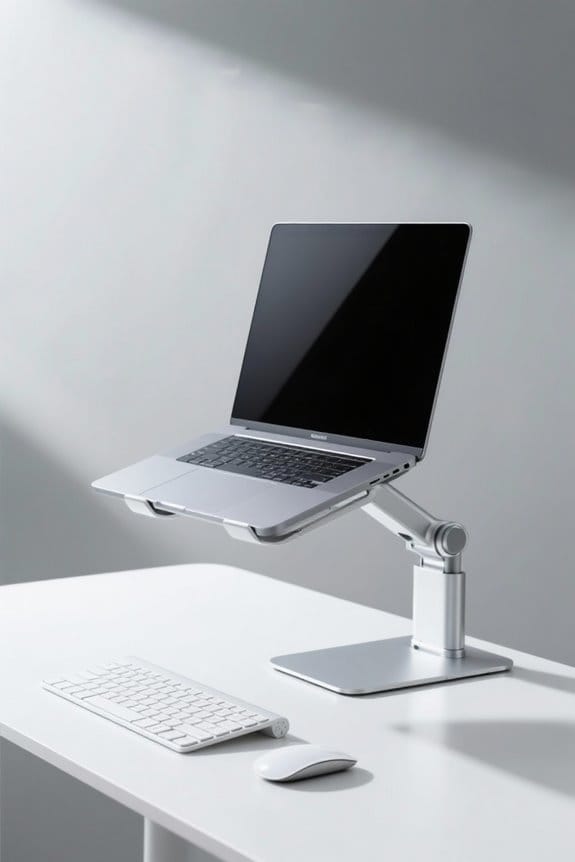
Ergonomic principles are essential for workstation users to enhance comfort and efficiency. Maintaining neutral posture aligns the body properly, reducing strain. Working in the power zone minimizes reach-related discomfort. Regular movement and stretching break static load, preventing fatigue. Reducing excessive force and motions decreases the risk of musculoskeletal disorders. Adequate lighting improves visibility and reduces eye strain. Understanding these principles fosters a healthier work environment. Learn how these strategies can further optimize your workspace for performance.
Key Takeaways
- Maintain a neutral posture to align your body and reduce the risk of musculoskeletal disorders.
- Work within the “power zone” to minimize strain and maintain control during tasks.
- Incorporate movement and stretching breaks every hour to decrease fatigue and relieve tension.
- Use ergonomic tools to reduce excessive force and improve comfort during manual tasks.
- Ensure adequate lighting to enhance visibility, comfort, and overall productivity in your workspace.
Principle 1. Maintain Neutral Posture
Maintaining a neutral posture is essential for workstation users, as it helps align the body effectively. Neutral postures reduce stress on muscles, tendons, nerves, and bones during work activities. Proper ergonomics allow employees to maintain their natural spinal S-curve, emphasizing the need for adequate lumbar support. This alignment minimizes the risk of musculoskeletal disorders (MSDs), commonly linked to awkward postures. Awareness of the distinction between neutral and awkward postures greatly enhances workplace safety by preventing discomfort and injury. Adopting neutral positions, whether sitting or standing, is vital for promoting employee well-being and sustaining long-term health and productivity. Implementing ergonomic solutions can make a significant impact on workplace performance and safety. Consider evaluating your workspace for ergonomic improvements today. Additionally, using an adjustable height desk can further enhance comfort by allowing seamless transitions between sitting and standing, promoting better posture and reducing the risk of long-term health issues.
Principle 2. Work in the Power / Comfort Zone

Working within the power and comfort zone is essential for workstation users, as it greatly reduces physical strain and enhances productivity. The power zone, located between mid-thigh and mid-chest height, allows users to lift and handle objects with minimal effort. Additionally, tasks performed within the “handshake zone,” or elbow height, help reduce excessive reach and lower the risk of musculoskeletal disorders. By maintaining neutral postures at proper heights, employees can minimize fatigue and enhance control during tasks. This approach promotes a safer ergonomic workstation experience. Adopting strategies that emphasize the power and comfort zones leads to improved overall ergonomics and long-term health benefits. Workstation users should prioritize these principles for a more sustainable and effective work environment. Considering the ergonomic design of sit-stand desk converters can further support these principles by offering adjustable height options that accommodate various user preferences for optimal comfort.
Recommended Products

Extra-large worksurface: 37.5 x 23-inch worksurface comfortably supports two monitors or a monitor and laptop; easily accommodate a standard keyboard and mouse on the 27 x 11-inch keyboard tray; supporting 10 to 40 pounds, this desk effortlessly holds all the essentials


Programmable electric height adjustment recalls your favorite settings with a single push of a button

Fully Assembled setup is ready to use out-of-the-box
Principle 3. Allow for Movement and Stretching

Incorporating movement and stretching into the workday is vital for maintaining an ergonomic workstation. Movement breaks, even for a few minutes, help reset the body from static load and prevent discomfort. Simple stretching exercises every hour can greatly reduce fatigue associated with prolonged static positions. By relieving tension in muscles and joints, these stretches improve posture, which is important for workstation comfort. Additionally, engaging in regular warm-up stretches lowers the risk of developing musculoskeletal disorders (MSDs) over time. Enhanced productivity often follows, as movement allows individuals to refocus and stay engaged. Workstation users should prioritize movement and stretching to guarantee a healthier and more comfortable work environment. Are you incorporating these practices into your daily routine?
Principle 4. Reduce Excessive Force

Reducing excessive force during workplace tasks is essential for fostering a safe and ergonomic environment. High force requirements increase muscle effort and fatigue, leading to a higher risk of musculoskeletal injuries. To mitigate this risk, implementing ergonomic tools and mechanical aids is vital. These tools can greatly reduce the physical force needed, ensuring safer work conditions and fewer workplace injuries. Conducting an ergonomic assessment helps identify tasks requiring excessive force, allowing for effective solutions. Additionally, employing full body weight to move objects minimizes unnecessary joint strain. Ergonomic training programs that educate workers on how to reduce excessive force can improve employee performance and overall health. Creating a more sustainable workspace leads to long-lasting benefits for both employees and employers. Ergonomic chairs promote healthy posture, reducing back pain and enhancing productivity, which aligns with the goal of minimizing excessive force and its associated risks.
Recommended Products


✅ Safety First: The Sara Stedy is engineered with patient safety as the top priority. The non-slip footplate and secure knee support offer stability during transfers, reducing the risk of falls.

Unmatched Comfort & Adjustability: Elevate your sleeping experience with our head (up to 75°) and foot (up to 45°) lift mechanism, allowing for perfect positioning. The unique headboard hugger ensures you stay close to your nightstand, while the additional head (pillow) tilting provides personalized comfort. Lumbar support ensures your spine is well-supported throughout the night.

Weighs only 15.4 lbs - Ultra Light Wheelchair with Ergonomic Design and Globally Patented S-Shape Seating Frame
Principle 5. Reduce Excessive Motions

Excessive motions during tasks can lead to significant physical strain and discomfort. To reduce excessive motions, it is essential to minimize unnecessary motions that involve excessive reaching or twisting. Repetitive motions, particularly with a cycle time of 30 seconds or less, can increase the risk of musculoskeletal disorders. Ergonomic assessments can effectively identify and redesign tasks to enhance comfort and productivity. Implementing job rotation and task variety allows different muscle groups to rest and recover, thereby alleviating the physical toll of repetitive tasks. Additionally, incorporating stretch breaks and encouraging movement throughout the workday can support overall well-being. By focusing on these strategies, employees can create a more ergonomic and sustainable working environment. Incorporating high-density memory foam office chair seat cushions can also reduce physical strain by providing consistent support and enhancing posture.
Principle 6. Minimize Contact Stress
Contact stress is a common issue that can greatly impact workplace comfort and productivity. It occurs when body parts press against hard or sharp surfaces, restricting blood flow and nerve function. Common sources include resting wrists on desk edges or using poorly designed tool handles. Prolonged contact stress can lead to chronic pain, such as carpal tunnel syndrome. To minimize contact stress, users should consider ergonomic equipment like padded wrist rests and anti-fatigue mats for those working while standing. Proper workspace design is essential; eliminating sharp edges and incorporating supportive surfaces can effectively protect sensitive tissues. Anti-fatigue mats enhance comfort for those who stand for long periods. Adopting these strategies can enhance employee well-being and overall efficiency. A safer workspace leads to better performance and increased satisfaction among workstation users.
Principle 7. Reduce Excessive Vibration
Vibration exposure in the workplace can pose serious health risks, particularly in industries that require the use of power tools or machinery. Regular exposure may lead to health issues like hand-arm vibration syndrome (HAVS) and Raynaud’s syndrome. These conditions affect blood flow and nerve function, causing numbness, tingling, and pain, which can hinder productivity. To reduce excessive vibration, employers should utilize ergonomic tools and machinery designed to minimize these effects. Implementing padded grips and anti-vibration equipment can considerably enhance worker safety and comfort. Additionally, ensuring that workers take regular breaks and rotate jobs can help the musculoskeletal system recover, further lowering the risk of vibration-related disorders. Adopting these ergonomic principles is vital for a healthier work environment. For office settings, utilizing ergonomic designs with adjustable height and wrist support can further enhance comfort and prevent strain during long work sessions.
Principle 8. Provide Adequate Lighting
Work environments greatly impact employee health and productivity. Principle 8 emphasizes the importance of adequate lighting in the workplace. Proper illumination enhances visibility, helping to reduce eye strain and fatigue. Effective lighting not only improves comfort but also boosts overall productivity. Workspaces should aim for 300 to 500 lux, facilitating a balance of natural and artificial light. This approach minimizes stress while promoting better mood and concentration among employees. Additionally, regularly evaluating lighting conditions can aid in reducing glare from screens, thereby preventing discomfort. Organizations should prioritize ergonomics in the workplace by ensuring sufficient lighting to create a safer and more efficient environment. Adopting these practices can lead to a more satisfying and productive work experience for all. Many LED desk lamps feature customizable lighting options, enabling users to tailor brightness and color temperatures for optimal focus and comfort.
Frequently Asked Questions
What Are the Five Main Principles of Ergonomics?
The five main principles of ergonomics include posture alignment, workstation design, digital health, flexibility options, and ergonomic accessories. Proper lighting considerations and awareness of repetitive strain further enhance comfort and productivity in various environments.
What Are the Ergonomic Standards for Workstations?
Ergonomic standards for workstations involve conducting ergonomic assessments, optimizing workspace layout, making posture adjustments, ensuring appropriate equipment height, correct monitor positioning, proper keyboard placement, and comfortable chair design for enhanced user comfort and productivity.
What Is the 30/30 Rule in Ergonomics?
The 30/30 rule in ergonomics dramatically transforms workstation setups, offering benefits like enhanced productivity and visual health. Implementing strategies for regular breaks promotes employee wellness, dispelling common misconceptions about constant computer use being harmless.
What Is the 20 8 2 Rule?
The 20 8 2 rule recommends 20-second visual breaks every 20 minutes, standing for 8 minutes, and stretching for 2 minutes. This enhances vision health, employee productivity, and posture improvement, especially with proper desk setups and ergonomic accessories.