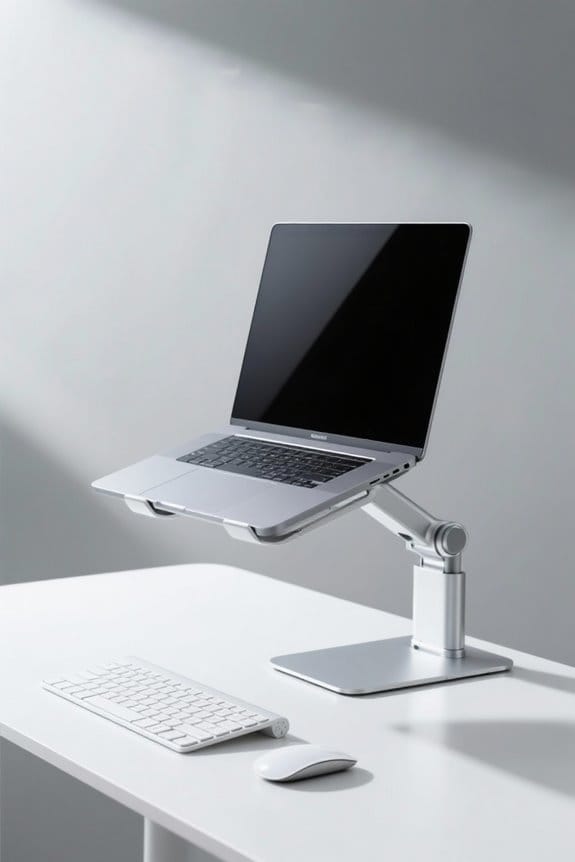
To create an effective standing desk setup, prioritize a neutral posture. Confirm the desk height allows elbows to sit at a 90-degree angle. Position the monitor at eye level, an arm’s length away, to prevent neck strain. Place the keyboard and mouse at the same height as your elbows. Distribute weight evenly on both feet and consider using anti-fatigue mats for added comfort. Regularly assess your workspace to optimize ergonomics and enhance productivity. Continue to explore how to improve your setup.
Key Takeaways
- Ensure your desk height allows for a 90-degree elbow angle while typing to promote neutral posture.
- Position your monitor at eye level, an arm’s length away, to prevent neck strain.
- Keep your feet hip-width apart with weight evenly distributed to maintain balance while standing.
- Use an anti-fatigue mat to encourage movement and enhance comfort during prolonged standing.
- Regularly evaluate your workspace setup to make necessary ergonomic adjustments and sustain comfort.
Key Elements of a Standing Desk Ergonomics
When setting up a standing desk, it is vital to prioritize ergonomics to assure comfort and productivity. An ergonomic desk should allow the user to maintain a neutral posture. The desk height should enable your elbows to rest at a 90-degree angle while typing. This way, forearms remain parallel to the floor, supporting ideal wrist posture. Using an adjustable desk or keyboard tray is advisable for personalized height adjustments, catering to different needs. Pairing the desk with a proper chair can enhance comfort during breaks. Continuous evaluation of the desk setup is significant to maintain proper posture. Many desks offer adjustable height ranges typically spanning from approximately 27.9 to 50.3 inches, supporting diverse user needs. This guarantees that users can efficiently reduce muscle and joint strain while promoting long-term wellness.
Monitor Positioning

Proper monitor positioning is a key aspect of an ergonomic standing desk setup. The monitor should be placed an arm’s length away from the eyes to facilitate comfortable reading. For neutral head posture, the top of the screen viewing area should align at or slightly below eye level, helping to prevent neck strain. When seated, the center of the monitor should be viewed by gazing slightly downward, about 15-20 degrees, to guarantee proper alignment. If using dual monitors, the primary screen should be centered in front, with the secondary monitor angled for convenience. Additionally, avoid working on laptops directly; instead, use a stand to elevate the screen to an appropriate height for maximum viewing. Adjustable height desks enhance productivity and wellness through their ergonomic designs that allow easy switching between sitting and standing, which can help maintain optimal monitor positioning.
Keyboard and Mouse Placement

Keyboard and mouse placement plays a crucial role in fostering an ergonomic workspace. Position the keyboard directly in front of the user, ensuring elbows are close to the body and at a 90-degree angle during typing. Forearms should remain parallel to the floor. The mouse should be close to the keyboard, ideally at the same height, to maintain a neutral wrist position. This setup helps keep shoulders relaxed, reducing upper body tension. Users may consider a wrist rest for added support, further promoting a neutral posture and minimizing the risk of repetitive strain injuries. Regularly checking the placement is essential for maintaining comfort and an ergonomic posture throughout the workday. Optimize this setup to enhance productivity and well-being. Consider using an ergonomic keyboard tray as it can help alleviate wrist pain by promoting natural wrist alignment.
The Best Posture for Standing Desks

Ensuring the best posture at a standing desk is essential for both comfort and productivity. Users should maintain a tall stance with feet hip-width apart and weight evenly distributed. This prevents locking the knees and encourages a relaxed posture. Elbows should rest at a 90-degree angle while typing, promoting an ergonomic setup to reduce strain. Position the monitor at eye level, an arm’s length away, to maintain a neutral neck posture. Additionally, keeping slight bends in the knees helps distribute weight evenly. Incorporating anti-fatigue mats offers cushioning and encourages movement. Users should also consider electric standing desks to easily adjust desk height. Investing in lumbar support can further enhance comfort, making long working hours more manageable. Some desks, like those from VIVO and Claiks, offer height adjustability from 27 to 48 inches, allowing users to tailor the desk to their specific ergonomic needs.
Finding the Right Balance Between Sitting and Standing

Finding the right balance between sitting and standing can greatly enhance workplace comfort and productivity. It is essential to alternate this balance to reduce discomfort and improve circulation. Many experts recommend strategies like the 40-60 or 50-50 rule for effective standing desk setup. Starting with 30-minute standing intervals can help individuals adapt to prolonged standing. The 20-8-2 rule is another alternative, suggesting 20 minutes of sitting, 8 minutes of standing, and 2 minutes of movement. This method encourages regular breaks and helps maintain a neutral posture. Adjust your desk accordingly to reduce strain and foster a healthier work environment. Incorporating frequent movement and stretches will further enhance productivity while ensuring a more dynamic workspace. Desk converters, such as those from VIVO and FLEXISPOT, offer ergonomic designs that promote better posture and reduce fatigue, enhancing the effectiveness of a balanced standing desk setup.
Implementing Anti-Fatigue Mats and Accessories for Comfort
Comfort is essential in any work environment, especially for those using standing desks. Implementing anti-fatigue mats can greatly reduce stress on the feet, legs, and lower back. These mats provide cushioning that enhances comfort during prolonged standing sessions. They promote better blood circulation and help minimize fatigue, allowing users to maintain an engaging standing posture. Available in various thicknesses and materials, many anti-fatigue mats feature textured surfaces that stimulate foot movement. Regular use can prevent discomfort and decrease the risk of musculoskeletal issues. By incorporating these mats into a standing desk setup, individuals can create a supportive work environment. Investing in high-quality anti-fatigue mats is a step towards achieving ergonomic excellence and sustainable comfort throughout the workday. Non-slip surfaces on these mats enhance safety by reducing tripping hazards and providing stability.
Common Mistakes to Avoid in Desk Setup
While setting up a desk for standing work, several common mistakes can hinder ergonomic effectiveness. An incorrect desk height is a typical mistake, as it can prevent maintaining arms at a 90-degree angle. This leads to strained shoulders and wrists. Make sure the monitor is at eye level to avoid neck strain; placing it an arm’s length away promotes head posture. Additionally, avoid positioning your keyboard and mouse too far away; they should allow elbows to bend at a neutral position. Remember to keep your feet flat on the floor. Locking the knees can lead to discomfort, so maintain a slight bend. Finally, do not forget anti-fatigue mats to reduce straining on your feet and enhance comfort. Consider using chair mats for hardwood floors to protect your floor and improve mobility. Adjust your chair and desk height for the best setup.
The Importance of Regular Breaks
Regular breaks are essential for maintaining a productive and ergonomic work environment. Experts recommend short movement breaks to reduce fatigue and improve productivity. Incorporating the 20-8-2 rule encourages posture changes, allowing the body to refresh after sitting for extended periods. Movement breaks help prevent discomfort and reduce the risk of musculoskeletal disorders. Frequent posture changes can alleviate stiffness, enhancing overall well-being. Research shows that these breaks can enhance cognitive function, leading to improved decision-making and problem-solving abilities at work. Employers should encourage employees to take microbreaks, even just a couple of minutes, to support long-term health. Prioritizing regular breaks is a significant step toward fostering a healthier workplace culture that values craftsmanship and sustainable practices. Adjustable height features in desk setups allow for personalized comfort and promote better posture, which can complement the benefits of regular breaks by maintaining ergonomic support.
Continuous Evaluation and Adjustment of Workspace
Evaluating and adjusting the workspace regularly can lead to significant improvements in productivity and comfort. Continuous evaluation of an ergonomic workspace is essential for maintaining an ideal setup. Gathering comfort feedback assists in identifying necessary posture adjustments. Regularly monitoring physical responses, such as fatigue or discomfort, helps pinpoint ergonomic issues. The standing desk height and monitor position may need to change as work tasks evolve, ensuring ongoing support for well-being. Conducting an ergonomic assessment periodically is beneficial for workspace optimization. Consulting health professional recommendations provides tailored strategies to enhance comfort and performance. To maintain an efficient workspace, prioritize these adjustments, and foster a healthier working environment. Consider evaluating your setup today for maximum productivity! Additionally, incorporating ergonomic designs like wrist rests can enhance comfort and reduce strain, particularly during prolonged computer use.
Frequently Asked Questions
How Can I Determine the Right Desk Height for My Standing Desk?
Amidst the sea of workstations, one may discover the ideal desk height through careful consideration of ergonomic principles: ensuring wrist alignment, proper elbow position, monitor elevation, and foot placement for personal comfort and posture adjustments.
What Type of Shoes Are Best for Standing at a Desk?
Comfortable footwear should include options with arch support, soft soles, and cushioned insoles, while also considering breathable materials and slip-resistant designs. Heel height, stability features, and professional style are important, along with seasonal variations for versatility.
How Often Should I Create Movement in My Standing Routine?
Creating movement breaks every 30-60 minutes enhances posture awareness and supports foot circulation. Incorporating stretching routines, optimizing desk design, and utilizing ergonomic equipment can boost productivity, energy levels, and overall comfort during standing time.
Can Standing Too Long Lead to Health Problems?
Standing too long can lead to health problems, including fatigue symptoms, circulation issues, joint pain, and muscle strain. These factors may negatively impact heart health and productivity, exacerbating posture problems, foot discomfort, and varicose veins. Ergonomic solutions exist.
What Are the Benefits of Alternating Between Sitting and Standing?
Alternating between sitting and standing yields numerous benefits, including an energy boost, productivity increase, posture improvement, mood enhancement, and reduced fatigue. This dynamic approach also fosters better circulation, weight management, focus sharpening, and enhances overall comfort level.