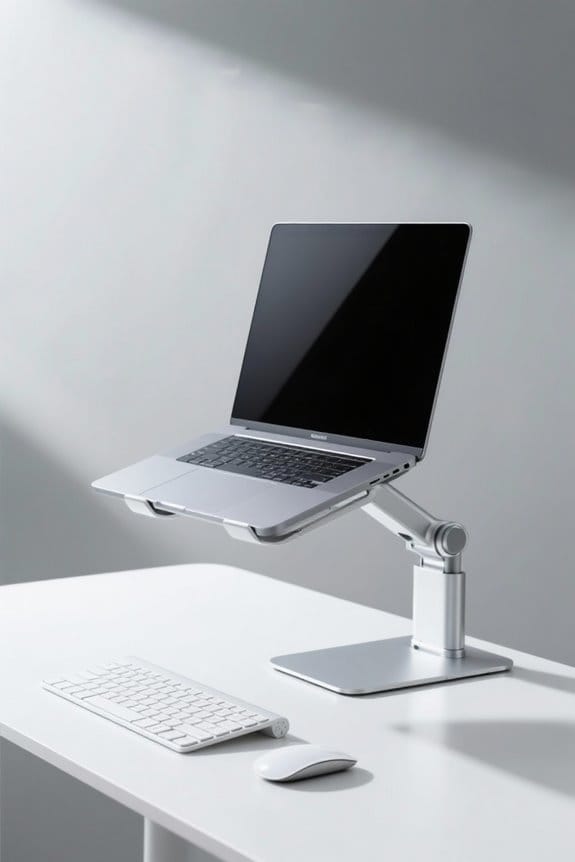
To create a hybrid sitting and standing workstation routine, incorporate adjustable desks that enhance ergonomic alignment. Follow the 20-8-2 rule, balancing sitting and standing every 30 minutes. Use memory presets for quick height changes and regular stretching breaks for enhanced comfort. Invest in ergonomic seating and quality anti-fatigue mats to support posture. Track progress and adjust settings for maximum comfort. Understanding these principles will lead to a more effective and healthier work experience. Additional strategies await further exploration.
Key Takeaways
- Follow the 20-8-2 rule, alternating between 20 minutes of sitting, 8 minutes of standing, and 2 minutes of movement every half hour.
- Gradually increase standing intervals to achieve a balanced 1:1 ratio of sitting to standing time throughout your workday.
- Set timers as reminders to shift positions, promoting a consistent sit-stand schedule that enhances comfort and productivity.
- Incorporate short stretching or movement breaks during standing intervals to improve circulation and reduce fatigue.
- Document ideal ergonomic setups for both seated and standing positions to ensure optimal comfort and reduce strain during work hours.
Understanding the Benefits of a Hybrid Workstation
A hybrid workstation offers significant advantages for both individual workers and organizations. By combining adjustable desk options for sitting and standing heights, these workstations promote employee well-being. Research shows that using a sit-stand desk can increase productivity and engagement, especially in a hybrid workspace. Regular movement throughout the day, following the 20-8-2 rule, enhances energy levels and reduces fatigue. Ergonomic furniture in these setups supports better posture, minimizing the risk of chronic conditions like back pain. Additionally, implementing a hybrid workstation routine fosters collaboration and spontaneity among team members. Organizations seeking to elevate their workspace should consider incorporating such ergonomic solutions to enhance the overall work experience and promote a culture of well-being. It is essential to consider the weight capacity of adjustable desks to ensure they can support necessary equipment, promoting a reliable and organized work environment.
Selecting the Right Adjustable Desk

Selecting the right adjustable desk is essential for creating an effective hybrid workstation. A desk with height-adjustability features guarantees ergonomic alignment for users of various heights. Look for sit-stand desks equipped with dual-motor lifts, as they smoothly shift between sitting and standing positions. Models with memory presets allow users to save preferred heights, promoting quick adjustments throughout the day. Durability is significant; choose desks that maintain shape and stability, especially when supporting multiple monitors. Additionally, effective cable management is important for preventing clutter and enhancing workspace safety. By prioritizing these features, individuals can enhance their productivity and comfort. Desk models like VIVO and Claiks offer height adjustability and support significant weight, ensuring stability and convenience. Invest in an adjustable desk that meets these criteria to optimize the hybrid workstation experience.
Recommended Products

LUXURIOUS SLATE DESKTOP: The distinctive texture of the natural rock undergoes a refined transformation through the intricate process of fine carving molding, resulting in a stunning effect.The modern trapezoidal legs add to the premium desk's overall aesthetic and give it a contemporary charm that will impress anyone who sees it.


LUXURIOUS SLATE DESKTOP: The distinctive texture of the natural rock undergoes a refined transformation through the intricate process of fine carving molding, resulting in a stunning effect.The modern trapezoidal legs add to the premium desk's overall aesthetic and give it a contemporary charm that will impress anyone who sees it.

LUXURIOUS SLATE DESKTOP: The distinctive texture of the natural rock undergoes a refined transformation through the intricate process of fine carving molding, resulting in a stunning effect.The modern trapezoidal legs add to the premium desk's overall aesthetic and give it a contemporary charm that will impress anyone who sees it.
The Importance of Ergonomic Seating

Ergonomic seating plays an important role in creating a comfortable and productive hybrid workstation. This type of seating supports the natural shape of the spine, reducing back pain and improving posture during long hours of work. Key features like adjustable lumbar support provide specific relief for the lower back, minimizing the risk of musculoskeletal disorders. Research indicates that improper seating affects nearly 30% of the hybrid workforce, making reliable ergonomic seating crucial for employee health. Proper height settings guarantee users can sit with their feet flat on the floor and elbows close to the body. High-quality ergonomic chairs made from breathable materials enhance comfort and productivity, contributing to better job satisfaction and less fatigue. Investing in ergonomic seating is important for a healthier work environment. The breathable mesh material found in many ergonomic chairs helps regulate temperature, ensuring that users remain cool and comfortable during prolonged use.
Recommended Products

The curved design of the wide wooden handrail firmly supports the arm.

As an affiliate, we earn on qualifying purchases.
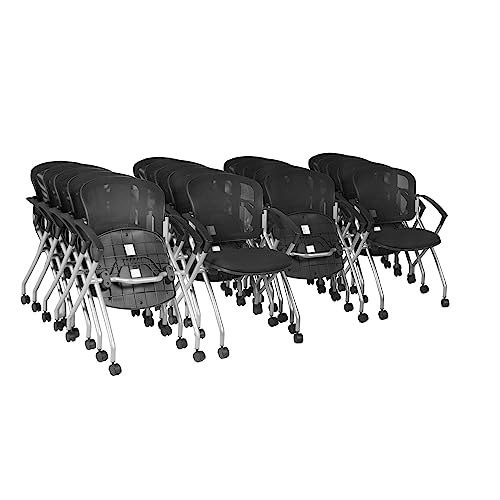
Set of 20 Flexible Nesting Chairs for Space-Saving Storage & Convenience – This 20-pack of Cadence Nesting Chairs is perfect for training rooms, classrooms, waiting areas, and offices. The flip-up seat design allows multiple chairs to nest together, saving valuable storage space while keeping seating readily available for large gatherings or collaborative spaces.

Establishing a Sit-Stand Schedule

Creating a balanced work environment requires not only ergonomic seating but also an effective sit-stand schedule. Adopting the 20-8-2 rule fosters movement by sitting for 20 minutes, standing for 8, and moving for 2 within a 30-minute period. This approach encourages consistent shifts between sitting and standing positions, helping to reduce strain. Gradually increase standing time to 20-30 minutes each hour to achieve a balanced 1:1 ratio over time. To maintain this sit-stand schedule, utilize timers for reminders and track your standing time for adjustments. Incorporate short stretching breaks during standing intervals to enhance energy levels. Consider using a wobble board to promote movement, enhance posture, and reduce fatigue during standing periods. This strategy supports productivity in a hybrid work environment and maximizes the benefits of an adjustable standing desk.
Recommended Products

HEIGHT RANGE OF 23.6" - 49.2" – Personalize your workspace with our height adjustable desk and wood standing desk with a drawer versatile height range, offering ergonomic suitability for 95% of users for optimal comfort.
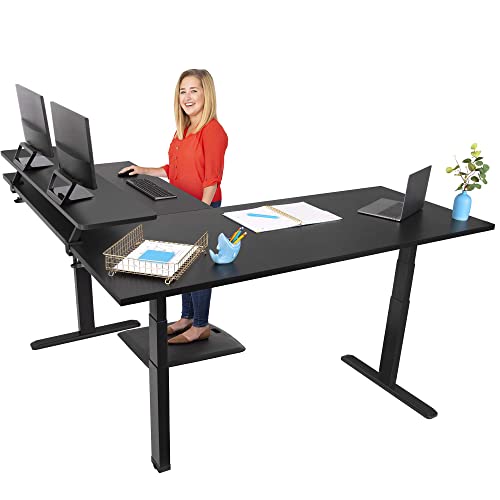
L-SHAPED STANDING DESK: Enjoy a more ergonomic workday with this height adjustable l-shaped desk that takes you from sitting to standing at the touch of a button. The spacious main worksurface and attached return desk create an ample corner workspace
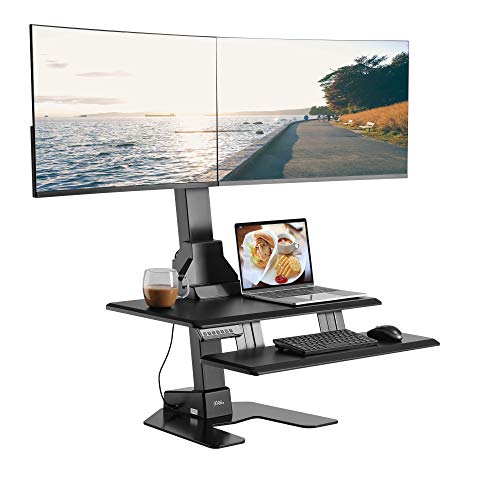
Ergonomic Workstation Setup: Converts your existing desk into an electric standing desk; adjustable design creates optimal viewing and typing alignment.
Implementing Optimal Workstation Setup

How can one guarantee a superior workstation setup that promotes comfort and productivity? Start by using a height-adjustable desk for easy shifts between sitting and standing. Set the desk height at elbow level when seated to confirm proper posture. Position the monitor height at eye level, allowing the eyes to gaze slightly downward. This reduces strain, making long hours more manageable. Maintaining a neutral wrist position while typing is essential; align the keyboard so elbows form a 90-degree angle. Incorporate ergonomic accessories, such as footrests for sitting, to enhance support. Additionally, adopt the 20-8-2 rule, alternating between sitting and standing, while taking brief movement breaks. Ergonomic desk converters significantly enhance comfort and productivity, making them a valuable addition to any workstation setup. A thoughtful setup encourages flexible work and boosts overall productivity.
Recommended Products

Extra-large worksurface: 37.5 x 23-inch worksurface comfortably supports two monitors or a monitor and laptop; easily accommodate a standard keyboard and mouse on the 27 x 11-inch keyboard tray; supporting 10 to 40 pounds, this desk effortlessly holds all the essentials

Programmable electric height adjustment recalls your favorite settings with a single push of a button

Fully Assembled setup is ready to use out-of-the-box
Utilizing Anti-Fatigue Mats and Accessories
A well-structured workstation goes beyond desk height and monitor placement. Utilizing anti-fatigue mats can greatly enhance comfort and support during long hours at a standing workstation. These mats provide cushioning for the feet, which aids in promoting better posture and can lead to a 50% reduction in lower limb discomfort. Choosing quality mats with at least 0.5 inches of thickness is vital for effective ergonomic practices. Additionally, incorporating accessories like footrests or balance boards can further reduce pressure on the legs. Regularly alternating between sitting and standing while using anti-fatigue mats improves circulation and minimizes musculoskeletal discomfort associated with static postures. Investing in these key elements guarantees a more productive and healthier workstation experience. anti-fatigue mats are available in various thicknesses and materials, such as high-density foam or PVC, which are crucial for providing adequate support and comfort.
Tracking Your Progress and Adjustments
Tracking progress and making adjustments are essential components of a successful hybrid workstation routine. To efficiently monitor sitting and standing durations, individuals should keep a journal or utilize a tracking app. Aim to follow the 20-8-2 rule: sit for 20 minutes, stand for 8 minutes, and move for 2 minutes every half hour. Regularly evaluate productivity and energy levels to identify patterns, allowing for necessary adjustments. If discomfort arises, modify standing intervals or increase stretching to enhance overall well-being. Utilizing a timer or reminder app can help maintain adherence to the schedule. Analyze progress weekly to assess how adjustments impact both comfort and productivity in the hybrid workspace, fostering an effective and ergonomic working environment. Incorporating stylish elements like tissue box covers can enhance the aesthetic appeal of your workspace while maintaining functionality.
Maintaining Consistency Between Home and Office
Maintaining consistency between home and office environments is essential for a successful hybrid workstation routine. Establishing a shared ergonomic baseline helps optimize work settings. Document ideal seated and standing elbow heights alongside eye-level monitor positions applicable at both locations. Utilize similar desks and adjustable furniture in each environment to minimize ergonomic strain. Additionally, portable ergonomic accessories, such as adjustable laptop stands and external keyboards, can shift easily between the home office and work environments. Creating a personal Ergonomic Measurement Audit checklist guarantees regular assessments of your setups. Furthermore, communicating non-negotiable ergonomic needs with colleagues promotes understanding within shared spaces. Electric standing desks are a valuable addition to hybrid work setups, offering customizable height options to enhance ergonomic comfort. Ultimately, this cohesive approach can drive productivity and well-being in hybrid work scenarios.
Frequently Asked Questions
What Is the 20 8 2 Rule for Standing Desks?
The 20-8-2 rule for standing desks promotes a productivity boost through an ergonomic setup, advocating for posture correction and time management. This routine enhances energy levels while offering health benefits by reducing prolonged sedentary behavior.
How to Implement a Hybrid Schedule?
Implementing a hybrid schedule enhances productivity improvements and mental well-being. Shifting tips include effective time management, ergonomic considerations in workstation setup, and regular check-ins to guarantee employees maximize hybrid schedule benefits effectively.
How Long Should You Stand at a Standing Desk Each Day?
Standing duration at a desk should ideally reach four hours daily, balancing productivity impact and comfort levels. Proper desk ergonomics enhances posture correction while minimizing foot fatigue, ensuring peak health benefits throughout the workday.
What Is the Healthiest Way to Stand at a Standing Desk?
In a serene workspace, maintaining ergonomic posture demands proper desk height, screen alignment, and back support. Elevating feet guarantees weight distribution, while regular movement breaks invigorate the spirit, keeping energy levels high during standing sessions.