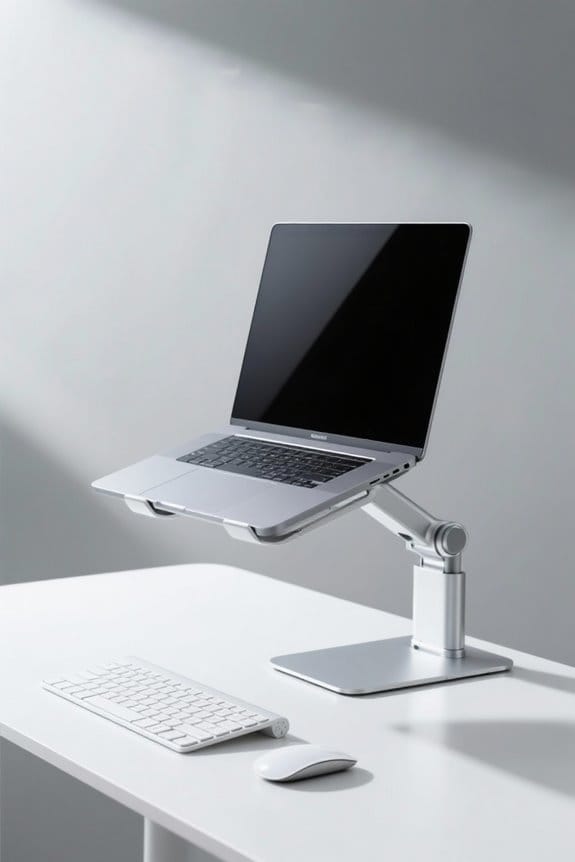
Changing from a sitting desk to a standing desk should be done gradually for safety and comfort. Start with 15-30 minutes of standing per hour, following the 20-8-2 rule. Adjust the desk height to maintain a neutral posture, ensuring elbows are at a 90-degree angle. Invest in anti-fatigue mats and supportive footwear to enhance comfort. Implement short movement breaks to boost energy levels. Explore effective strategies to optimize your workspace and maintain productivity throughout this change.
Key Takeaways
- Begin with 15-30 minutes of standing for every hour of sitting, gradually increasing standing time.
- Follow the 20-8-2 rule: 20 minutes sitting, 8 minutes standing, and 2 minutes of movement.
- Ensure your desk height allows your forearms to be parallel to the ground and wrists straight.
- Utilize anti-fatigue mats and supportive footwear to enhance comfort during prolonged standing.
- Position your monitor at eye level, 20-28 inches away, to prevent neck strain.
Understanding the Benefits of Standing Desks
Many individuals often overlook the benefits of standing desks in their work environments. Standing desks can considerably reduce upper back pain and neck discomfort compared to traditional desks. Research shows that using height-adjustable desks helps improve posture and encourages movement. By limiting prolonged sitting, users can increase physical activity and energy levels throughout the day. In addition, standing more often may foster a better mood and overall well-being. Studies indicate that switching to a standing desk could decrease sitting time by over an hour and a half daily, promoting healthier lifestyle changes. Incorporating standing desks into work settings illustrates a proactive approach to health, addressing sedentary-related risks. Individuals should consider these advantages when evaluating their workspace ergonomics. Sound quality must be taken into account when setting up a workspace, as it can significantly enhance productivity and overall experience.
The Importance of Gradual Transitioning

A gradual shift from a sitting desk to a standing desk is essential for maximizing comfort and health benefits. Gradual changes allow the body to adapt, starting with 15-30 minutes of standing for every hour of sitting. Following the 20-8-2 rule—20 minutes of sitting, 8 minutes of standing, and 2 minutes of movement—promotes balance and overall well-being. Alternating between sitting and standing time encourages strength and endurance, aiming for 2-4 hours of standing each workday. It’s vital to maintain a neutral posture during this shift, as improper positioning may lead to neck strain and lower back pain. Always listen to your body, adjusting standing durations to create a sustainable, ergonomic work environment that prioritizes health and productivity. Using adjustable height desks can enhance productivity and wellness through their ergonomic designs.
Finding the Right Desk Height

Understanding the appropriate desk height is essential for promoting ergonomics and comfort while using a standing desk. To find the ideal desk height, measure the distance from the floor to your elbow while standing. Your forearms should be parallel to the ground, and your wrists should remain straight while typing. For many individuals, average standing desk height may be around 44 inches, but this varies based on personal height and preferences. Additionally, verify your monitor is at eye level, positioned 20-28 inches away to prevent strain. Maintaining a 90-degree elbow angle works towards a comfortable position, promoting an ergonomic setup. Don’t forget that adjustable height promotes better posture and comfort, which contributes to overall health benefits. Adjustments may be necessary for flooring and footwear to enhance overall comfort.
Essential Accessories for Comfort

Essential accessories play a significant role in ensuring comfort while using a standing desk. Investing in anti-fatigue mats, which range from 10 to 20 mm thick, can help reduce discomfort during extended standing. Supportive footwear, such as cushioned running shoes or quality sandals, is important for promoting better posture and preventing foot pain. Adjustable keyboard and mouse stands enable users to maintain a neutral wrist position, which minimizes the risk of strain. Additionally, arm supports relieve pressure on the wrists, aiding in comfort while using a mouse. Regular breaks, facilitated by reminders or apps, enhance overall well-being. Together, these accessories contribute to a more ergonomic workspace, promoting productivity and reducing fatigue during the shift from sitting to standing. anti-fatigue mats are essential for those who stand for long periods, helping to enhance comfort, reduce pain, and improve overall well-being in both work and home environments.
Implementing Short Movement Breaks

Incorporating short movement breaks into the daily routine is crucial for those using standing desks. Implementing short movement breaks every 30 to 60 minutes can considerably reduce discomfort and improve circulation. Studies indicate that movement stimulates blood flow and decreases muscle fatigue. Using reminder software or apps can help guarantee regular breaks. Engaging in simple stretches or walking around the workspace during these breaks enhances flexibility and prevents stiffness. Aiming for breaks of at least 2 minutes allows for muscle relaxation and cognitive refreshment. Moreover, even minimal movements, such as standing for every phone call or pacing during conversations, can increase daily activity levels and support overall health benefits, contributing to a sustainable and ergonomic work environment. Additionally, anti-fatigue mats enhance comfort and promote ergonomic support, making them a valuable addition to any standing desk setup.
Managing Ergonomics With Screen Positioning
Proper screen positioning is an essential component of an ergonomic workspace. The monitor should be 20-28 inches away and at or slightly below eye level. This setup guarantees that the top of the monitor is aligned correctly, preventing neck strain. A tilt of 10 to 20 degrees upward enhances comfort, allowing for a relaxed neck position while working. It’s also vital that the monitor remains directly in front of the user to minimize twisting, which can lead to discomfort. To maintain proper alignment, individuals may need to make frequent adjustments as they shift between sitting and standing. Achieving ideal ergonomics not only increases productivity but also supports overall well-being. Prioritizing these details promotes a sustainable, healthy workspace. Additionally, using ergonomic office chairs with proper lumbar support can further enhance comfort and reduce the risk of musculoskeletal issues.
Footwear Considerations for Standing Comfort
Footwear plays an essential role in ensuring comfort while standing at a desk for extended periods. Supportive footwear, such as cushioned sneakers or walking shoes, can considerably reduce fatigue. High heels or shoes with rigid soles should be avoided, as they may increase foot pain and disrupt balance. To enhance comfort, consider using insoles or arch supports, which provide better alignment for the feet and legs. Regularly changing shoes is also important; keeping a spare pair at work can improve foot health. Proper footwear promotes good posture and reduces the risk of developing conditions like bunions or plantar fasciitis associated with prolonged standing. Investing in quality, ergonomic footwear is essential for long-term comfort and well-being. Choosing high-quality materials for footwear, similar to selecting a mesh chair, ensures durability and comfort during long periods of use.

Recommended Products

[Premium Anti-Fatigue Floor Mat Cushion]: Designed for all-day comfort, this anti fatigue mat reduces pressure on your feet, legs, and back. Ideal as a standing mat for work, it provides the support you need during long hours on hard floors

【Cozy Velvet Couch for Relaxation】Tired of small sectional couch options that look cute but sit like a rock? Meet the U shaped couch that actually delivers—sink into cozy velvet that feels like petting your fluffy cat, with high-density foam that says goodbye to back pain (no sagging, no regrets). Whether you're binge-watching, reading, or just crashing after a long day, these sectional couches for living room hit the sweet spot between cloud-soft and supportive. Grab yours today!

THICK, SUPPORTIVE ERGO-FOAM CORE: This anti-fatigue cushion mat for standing features a 3/4'' thick ergo-foam core which can provide excellent support and prevent feet, legs and back pain
Maximizing Productivity While Standing
Maximizing productivity while standing at a desk involves more than just making the switch from sitting. Professionals should consider the 20-8-2 rule, alternating between sitting, standing, and moving to maintain energy and focus. An ergonomist advises adjusting the standing desk height so elbows are at a 90-degree angle to promote ideal posture. Maintaining proper monitor height is essential to avoid neck strain, ensuring clear vision and comfort. Additionally, using an anti-fatigue mat can enhance comfort and encourage micro-movements, boosting blood circulation. Strategically placing essential items encourages movement throughout the workspace, increasing activity levels. Under Desk PC Mounts enhance workspace organization and comfort, which can contribute to a clutter-free environment and improve focus. By implementing these practices, individuals can effectively enhance their productivity and overall well-being while working at a standing desk.
Tips for Adjusting to Your New Setup
Adjusting to a new standing desk setup can be a smooth shift with the right approach. Start by gradually increasing standing time, beginning with 15-30 minutes of standing for every hour. Aim for 2-4 hours of standing daily. Utilize standing desk converters and an anti-fatigue mat to enhance comfort and encourage movement, which reduces discomfort. It is essential to maintain ergonomic desk height, ensuring elbows are at a 90-degree angle and the monitor is eye-level. Remember to alternate between sitting and standing every 30 to 60 minutes. Incorporate short movement breaks for improved blood flow. Finally, invest in comfortable footwear, as supportive shoes can help prevent foot pain. Consider seeking medical advice if discomfort persists. L-shaped desks maximize corner space, providing ample surface area for multitasking, which can be beneficial if you need a transition area between sitting and standing setups.
Frequently Asked Questions
What Is the 20 8 2 Rule for Standing Desks?
The 20 8 2 rule promotes ergonomic adjustments by alternating sitting for 20 minutes, standing for 8, and moving for 2, enhancing productivity gains, improving posture, reducing fatigue, and maximizing health benefits with proper workstation accessories.
How Long Will It Take to Get Used to a Standing Desk?
The time frame for body adaptation to a standing desk typically spans two weeks. During this gradual change, users may experience posture adjustments, enhanced energy levels, and improved productivity, ultimately leading to significant health benefits.
How to Turn Sitting Desk Into Standing Desk?
To convert a sitting desk, use a height-adjustable converter, incorporate ergonomic accessories, and follow monitor placement tips. Implement cable management for a neat setup, and utilize anti-fatigue mats and footrests to enhance comfort during a gradual shift.
Is Standing 8 Hours a Day Better Than Sitting?
Standing for eight hours daily presents a double-edged sword. While it offers standing benefits like posture improvements and energy boosts, excessive standing can lead to fatigue and joint strain, negating potential long-term health effects. Moderation is essential.