Poor workstation setup negatively impacts back, neck, and shoulder health. Misaligned desks and chairs can lead to slouched postures and strain on ligaments. Over 30% of adults experience tech neck due to improper monitor positioning. Ergonomic adjustments, such as correct chair height, monitor level, and regular breaks, are essential for comfort. Investing in quality ergonomic furniture promotes better posture and reduces pain risks. Understanding these principles can enhance workplace wellness and productivity. Discover more about creating an ideal workspace.
Key Takeaways
- Poor workstation setup, such as misaligned desks and chairs, promotes slouched postures leading to back, neck, and shoulder pain.
- Improper monitor positioning increases cervical spine stress, contributing to tech neck and discomfort in these areas.
- Chairs without lumbar support may cause lower back strain, exacerbating overall discomfort in the spine and shoulders.
- Regular adjustments and breaks at your workstation can significantly reduce muscle fatigue and promote healthier postures to protect these regions.
- Ergonomic furniture and mindful practices help alleviate physical strain, maintaining proper alignment and reducing risk of chronic pain in back, neck, and shoulders.
The Impact of Poor Workstation Setup on Health
How does poor workstation setup affect health? Poor workstation setup can lead to important health issues, including back pain and neck strain. Individuals often face increased pressure on spinal discs and muscles when their desk and chair are misaligned. This misalignment fosters slouched postures that may overstretch ligaments and strain muscles over time. Furthermore, improperly positioned monitors require users to tilt their heads forward, amplifying cervical spine stress and contributing to chronic discomfort. In fact, studies show that over 30% of adults experience tech neck annually due to poor ergonomics. To enhance work comfort, it is essential to prioritize proper posture with ergonomic adjustments, such as correct screen height and adequate lumbar support. Improving workstation design can greatly reduce these health risks. Additionally, adjustable height options provided by foldable laptop stands can significantly improve viewing angles and promote better posture.
Key Ergonomic Principles for Home Offices

A well-designed home office is crucial for promoting health and productivity. Implementing key ergonomic principles helps reduce strain on the body. For example, adjusting chair height guarantees good posture, allowing feet to rest flat on the floor. Lumbar support is essential for maintaining lower back comfort. The monitor height should be positioned at or just below eye level, ideally 20-30 inches away. This prevents excessive neck bending and tension. Additionally, keeping elbows at a 90-degree angle helps align the spine during work. Regular breaks, every 30 minutes, combined with movement, can further mitigate muscle fatigue. By setting up an ergonomic workstation, individuals can greatly decrease their risk of chronic pain while enhancing overall well-being and job performance. When choosing an office chair, consider the benefits of mesh chairs, such as their breathable material that keeps users cool during extended use.
Understanding the Role of Chair Selection

Choosing the right chair is crucial for creating an effective workstation. Chair selection plays a critical role in maintaining proper ergonomics, particularly for the back, neck, and shoulders. An ergonomic chair with adequate back support helps prevent slouching, keeping the spine aligned. Additionally, adjustable armrests are necessary to guarantee elbows rest at a 90-degree angle, minimizing strain on the shoulders. The chair height must allow feet to rest flat on the floor, distributing weight evenly and alleviating pressure on the lower back. Moreover, a firm chair promotes posture and can reduce muscle fatigue during extended use. Selecting the appropriate chair is essential for comfort and productivity, leading to fewer health complaints during work hours. Prioritize your workstation setup for better results. Many leather office chairs are designed with ergonomic features, such as lumbar support and adjustable heights, to enhance comfort and reduce strain during prolonged use.
The Importance of Monitor Positioning

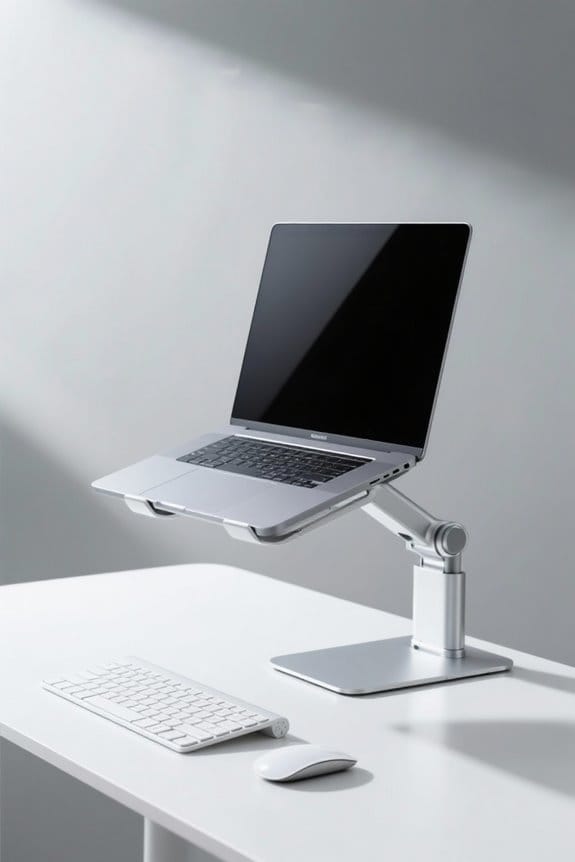
Monitor positioning greatly impacts workplace ergonomics and overall health. Proper monitor positioning involves placing the top inch of the screen at or slightly below eye level. This alignment helps maintain a neutral spine, reducing neck strain. To promote proper posture, the monitor should be 20-30 inches away from the eyes. Keeping the screen centered prevents unnecessary twisting of the neck, lowering the risk of musculoskeletal pain. Monitor stands or adjustable arms can help achieve ideal height and distance, enhancing comfort. Many monitor stand designs incorporate ergonomic features that reduce strain on the neck and eyes. Proper monitor positioning can greatly decrease the risk of tech neck, a condition affecting about 30% of adults. Prioritizing ergonomic setups is essential for those who spend long hours in front of screens, ultimately promoting better health in the workplace.
Desk Height and Its Effect on Posture

Desk height plays an important role in maintaining proper posture at work. Adjusting the desk height guarantees that elbows rest at a 90-degree angle on the desktop, promoting shoulder and arm alignment. A desk that is too high forces shoulders to shrug, leading to awkward wrist positions and strain on the neck muscles. Proper desk height also allows feet to rest flat on the floor, reducing lower back pressure. Incorrect desk height can cause slouched seating, overstretch spinal ligaments, and increase the risk of chronic back pain. Regularly reassessing and adjusting desk height is vital for individual comfort. Adjustable height desks enhance work experience by allowing users to switch between sitting and standing, promoting better posture and reducing strain on the body. By prioritizing ergonomic design, employees can greatly prevent musculoskeletal discomfort and enhance overall workplace health.
Incorporating Movement Into Your Work Routine
Maintaining productivity at work requires more than just an ergonomic desk setup. Incorporating movement into the work routine can greatly enhance overall health. Taking micro-breaks every 30–60 minutes is crucial for reducing stiffness. Simple desk stretches, such as shoulder rolls and neck stretches, help maintain flexibility and prevent muscle strain. Alternating between sitting and standing using sit-stand desks improves circulation and comfort. Short walks during breaks are beneficial for joint health and relieving pressure on the spine. Regular movement not only supports good posture but also enhances mental focus. Employees should actively integrate these strategies to promote a healthier work environment. Consider evaluating your own routines to guarantee you are prioritizing movement throughout your day. Additionally, using a standing desk balance board can improve posture and enhance comfort by encouraging active engagement during standing work.
Strategies for Reducing Neck and Back Strain
Reducing neck and back strain is essential for maintaining long-term health and productivity in the workplace. To avoid neck and back pain, employees should adjust their chair height so their feet rest flat on the ground while keeping a 90-degree angle at their elbows. Proper monitor height is also vital; it should be at eye level and 20-30 inches away to minimize neck flexion. Regular breaks every 30 minutes to stand and stretch can alleviate muscle tension. Additionally, ensuring that elbows remain close to the body during typing helps prevent shoulder discomfort. Workers should consider a desk converter or standing desk to easily change positions throughout the day, promoting better ergonomic alignment and overall health. Wooden monitor risers can help elevate screens to eye level, which is important for reducing cervical discomfort and promoting proper posture.
The Significance of Lumbar Support
Lumbar support plays a critical role in promoting a healthy workstation environment. It is essential for maintaining the natural curvature of the lower back, which prevents slumping and reduces the risk of chronic back pain. Properly adjusted lumbar support fits into the lower back area and encourages a slight forward pelvic tilt, helping to keep the spine aligned during prolonged sitting. Ergonomic chairs with adjustable lumbar support can notably decrease discomfort and improve posture. Without adequate lumbar support, pressure on spinal discs may increase, leading to herniated discs and muscle fatigue. Ideal lumbar support promotes a 90-degree angle at the hips and knees. This facilitates healthy blood circulation and reduces strain on the spine and surrounding muscles. Consider investing in quality lumbar support for better health. High-density foam cushions are ideal for extended use, focusing on relieving pressure points and enhancing overall comfort.
Mindfulness Practices for Pain Management
While poor workstation ergonomics can lead to discomfort, mindfulness practices serve as a valuable tool for pain management. Techniques like visualizing calming environments enhance relaxation and reduce pain perception. Pursed-lip breathing during work breaks promotes relaxation, helping to alleviate tension in the neck and shoulders. Additionally, just a few minutes of mindfulness meditation each day can improve emotional regulation, aiding in the management of chronic pain symptoms. Research shows that regular mindfulness exercises reduce muscle tension, which poor posture often exacerbates. By encouraging awareness of body posture and movements, mindfulness promotes healthier ergonomic practices. Implementing these strategies can be an effective method to foster greater comfort in the workplace. Consider incorporating mindfulness into your routine to improve overall well-being. Adding an anti-fatigue mat to your workspace can also enhance comfort and reduce the physical strain associated with prolonged standing, complementing mindfulness practices effectively.
Physical Therapy: A Resource for Ergonomic Issues
Physical therapy can play an essential role in addressing ergonomic issues that arise in the workplace. It offers targeted evaluations to identify postural imbalances affecting back muscles and overall posture. Physical therapists develop personalized exercise programs to enhance muscle strength and flexibility, vital for maintaining proper alignment and reducing strain. They also provide tailored advice on ideal desk setup based on individual needs, promoting correct ergonomic practices. Ergonomic chairs significantly improve comfort levels during work and help prevent health issues, thereby enhancing productivity. Regular consultations with a physical therapist can help prevent chronic pain associated with poor ergonomics. With direct access to physical therapy, individuals can proactively manage their ergonomic-related issues and improve workplace comfort. Taking these steps can lead to a healthier, more sustainable work environment. Don’t hesitate to seek help.
Long-Term Benefits of an Ergonomic Workspace
Creating an ergonomic workspace provides numerous long-term benefits that extend beyond immediate comfort. It greatly reduces the risk of back and neck pain during prolonged computer use. Studies show that proper ergonomics can decrease the occurrence of musculoskeletal disorders by up to 60%, enhancing overall employee well-being. An ergonomic workspace promotes proper alignment, which encourages better posture and minimizes discomfort. Regular adjustments to the setup, such as ideal desk height and monitor positioning, lead to sustained comfort and prevention of chronic pain over time. Investing in ergonomic furniture, like adjustable chairs and desks, can yield health benefits and lower medical costs associated with work-related injuries. Prioritizing ergonomics is key to long-term health and productivity in the workplace.
Frequently Asked Questions
Can a Desk Job Cause Neck Problems?
Yes, a desk job can cause neck problems. Poor desk ergonomics and improper neck posture, compounded by office equipment arrangements, can lead to increased muscle tension and discomfort, affecting overall neck health in individuals experiencing prolonged static positions.
How Does Proper Workstation Design Impact Musculoskeletal Health?
Proper workstation design, resembling a symphony of ergonomic furniture, harmonizes adjustable monitors, precise keyboard positioning, and ideal seating support. This orchestration nurtures musculoskeletal health, reducing strain and promoting a balanced, pain-free working experience for individuals.
What Are the Risks of Poor Workstation Set Up?
Poor workstation setup increases the risk of musculoskeletal disorders. Inadequate ergonomic furniture, incorrect workstation height, improper screen placement, and inappropriate keyboard angle contribute to discomfort, strain, and long-term health issues in the back, neck, and shoulders.
Can Sitting at a Computer Cause Neck and Shoulder Pain?
Yes, sitting at a computer can cause neck and shoulder pain. Statistical studies show that proper ergonomic principles, posture awareness, stretching techniques, and appropriate seating options are essential to mitigate discomfort and prevent injuries associated with prolonged use.