The ideal desk height for typing and mouse use is critical for ergonomics. A height of 28 to 30 inches is recommended for most users, allowing elbows to rest at a 90-degree angle. This position helps maintain wrist alignment and reduces shoulder tension. Taller users may benefit from a desk height over 30 inches. Adjustable desks offer flexibility for both seated and standing positions, enhancing comfort and productivity. Explore further insights into optimizing your workspace for better health and efficiency.
Key Takeaways
- The ideal desk height for typing and mouse use ranges from 28 to 30 inches for most users to maintain a 90-degree elbow angle.
- Keep the keyboard and mouse aligned with the elbows to ensure straight wrists and reduce discomfort during typing.
- Adjust desk height based on height: shorter users may need around 26 inches, while taller individuals may require 30 inches or more.
- Proper monitor placement at eye level prevents neck strain, complementing an ergonomic typing setup.
- Using an adjustable keyboard tray can enhance typing angles, promoting better posture and reducing the risk of strain injuries.
Importance of Desk Height for Ergonomics
Ergonomics plays an important role in creating a comfortable workspace. The significance of desk height cannot be overstated when aiming for an ideal ergonomic setup. A proper desk height guarantees that forearms remain parallel to the floor while elbows bend at a 90-degree angle, promoting ergonomic posture. Standard desk heights usually range from 28 to 30 inches, which helps maintain wrist alignment and reduce shoulder tension. Keeping the monitor at eye level is vital to prevent discomfort and neck strain. Adjustable standing desks offer a height range of 28 to 48 inches, accommodating users of various heights. Failure to maintain proper desk height may result in repetitive strain injuries, such as carpal tunnel syndrome, impacting productivity and health. Programmable memory buttons on sit-stand desks allow quick height adjustments, enhancing ergonomic benefits by enabling personalized settings for comfort and health.
Recommended Desk Height for Different Users

Finding the right desk height is crucial for comfort and productivity. The ideal desk height typically ranges from 28 to 30 inches for seated work, accommodating users between 5’8″ and 5’10”. For users shorter than 5’4″, a recommended desk height of around 26 inches is more suitable to maintain proper ergonomics. Taller individuals, around 6 feet, generally require a height of 30 inches or more to avoid shoulder strain. An adjustable desk can provide versatility, with standing desk heights ranging from 28 to 48 inches for ideal comfort. Proper desk height guarantees the keyboard and mouse align with elbow height, minimizing discomfort and the risk of injuries. Consider using a desk height calculator to find your perfect setup. Additionally, adjustable height desks are designed to enhance productivity and wellness through their ergonomic benefits and customizable height settings.
Key Measurements for Optimal Desk Setup

Desk height plays a significant role in creating an ideal workspace. For optimal desk setup, the correct height allows elbows to rest at a 90-degree angle, ensuring proper posture during ergonomic typing. A recommended desk height for individuals between 5’8″ and 6′ tall is between 28 to 30 inches. This height positions the keyboard and mouse directly in front, keeping wrists straight and hands slightly below elbow level. Adjustable standing desks should cater to both seated (24-29 inches) and standing (24-48 inches) preferences, enabling comfort and productivity throughout the workday. Additionally, users should keep their feet flat on the ground. Ergonomic designs with appropriate height and legroom enhance comfort, contributing to increased efficiency and well-being at work. By evaluating these key measurements, individuals can enhance both their well-being and efficiency at work.
Adjusting Desk Height for Comfortable Typing

Achieving comfortable typing requires careful attention to desk height adjustments. The ideal desk height for typing typically ranges from 28 to 30 inches. This range helps position the keyboard and mouse at elbow height, allowing elbows to bend at a 90-degree angle and stay close to the body. Proper ergonomics are essential for reducing strain during work. A keyboard placed too high may lead to shoulder discomfort, while one that’s too low can cause leaning forward, creating potential musculoskeletal issues. By adjusting desk height or using a keyboard tray, users can maintain a neutral wrist position. Keeping the wrists straight while typing supports comfort and enhances overall productivity. Ergonomic chairs significantly improve comfort levels during work, further supporting an optimal ergonomic setup. Prioritize your ergonomic setup for best typing enjoyment.
Strategies for Maintaining Proper Ergonomic Posture

Proper ergonomic posture is essential for anyone spending long hours at a desk. To achieve the ideal height, make certain elbows are close to the body and maintain a 90-degree angle while typing. This positioning allows forearms to be parallel to the floor, reducing strain. Position your keyboard and mouse at elbow height to prevent discomfort. Utilize adjustable desks to cater to individual needs for both seated and standing tasks. Regular breaks every 30 minutes help maintain mobility and prevent stiffness. Additionally, place monitors at eye level using a monitor stand, making sure the screen’s top is at or slightly below eye level. Adopting these strategies can greatly enhance overall ergonomic posture and comfort during work hours. For added comfort and support during extended computer sessions, consider using a memory foam wrist rest to reduce wrist strain and improve productivity.
Common Mistakes With Desk Height Adjustments
Many users make errors when adjusting their workspace that can lead to discomfort and injury. One common mistake involves setting desk height too high, causing elbows to rise above a 90-degree angle. This can lead to shoulder and neck discomfort. Users often neglect chair height and footwear, which affects their overall posture and blood flow. Adjusting the monitor height is essential; misalignment can result in neck strain during typing. Moreover, when raising a chair for a higher desk, individuals frequently overlook the need for a footrest, causing improper knee angles. Finally, positioning the keyboard surface incorrectly disrupts wrist alignment, increasing the risk of repetitive strain injuries. Proper ergonomic adjustments support better posture and enhance productivity. Adjustable seat heights are important to accommodate various desk setups, as they can significantly influence comfort and reduce fatigue during prolonged sitting.
Comparing Adjustable and Fixed Desks
When comparing adjustable and fixed desks, it is essential to contemplate their fundamental differences in design and functionality. Adjustable desks typically range between 24 to 48 inches in height, allowing users to switch between sitting and standing positions seamlessly. This adaptability enhances ergonomic flexibility, promoting proper posture and optimal hand positioning during typing and mouse use. In contrast, fixed desks are generally set between 28 to 30 inches high, catering to specific user heights and limiting comfort for those outside the average range. Users of adjustable desks report increased productivity and satisfaction due to reduced discomfort and tailored workstation environments. The electric lifting system in many adjustable desks offers quiet and smooth transitions, further enhancing user convenience and comfort. Ultimately, choosing between a preferred standing desk or a fixed option depends on individual needs for ergonomics and functionality.
Recommended Products for Ergonomic Desk Setup
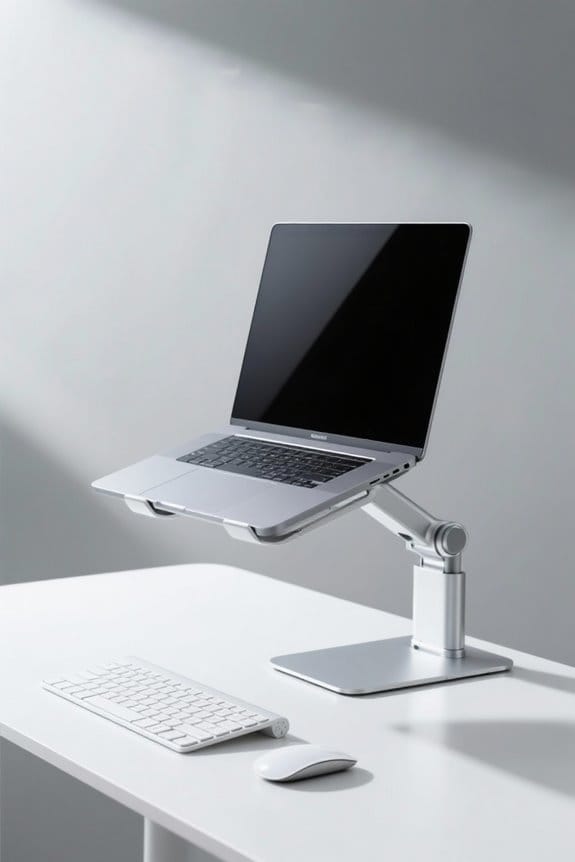
An effective ergonomic desk setup includes essential products designed to enhance comfort and productivity. Ergonomic keyboard trays guarantee that the keyboard is at elbow height, promoting a 90-degree angle for typing. Monitor arms allow precise adjustments for screen height, keeping the top of the monitor at eye level to reduce neck strain. For shorter individuals, adjustable footrests provide vital support, maintaining proper knee and foot positioning. Laptop stands elevate screens, helping users maintain a relaxed posture without leaning forward. Additionally, wrist supports alleviate strain and guarantee proper alignment while using keyboards and mice. Investing in these ergonomic products will greatly improve any desk setup, promoting comfort and efficiency for all users. Many clamp-on keyboard trays offer adjustable height settings and ergonomic designs that enhance typing angles and user comfort.
Frequently Asked Questions
What Is the Best Desk Height for Writing Vs Typing?
The best desk height for writing is generally higher for ideal writing posture, while typing benefits from a lower, elbow-height level. Ergonomic factors, chair height, and desk adjustments enhance sitting comfort and boost productivity techniques.
What Is the Best Position for the Mouse and Keyboard on Your Desk?
In a world filled with typewriters, proper mouse placement and keyboard positioning are crucial. An ergonomic setup promotes comfortable posture, ensuring ideal wrist alignment while balancing chair height and screen position for improved productivity and device accessibility.
What Is the 20 8 2 Rule for Standing Desks?
The 20-8-2 rule promotes workplace flexibility by suggesting 20 minutes of sitting, 8 minutes standing at a height-adjustable desk, and 2 minutes of movement, enhancing employee comfort, posture correction, productivity, and overall health benefits.
What Is the Best Height for Keyboard and Mouse?
What factors contribute to an ergonomic workspace? Ideal keyboard elevation and mouse positioning, typically between 25 to 30 inches for seated setups, enhance wrist alignment and typing posture, improving productivity and workspace comfort across various desk variations.