


The ideal height for shelves above a computer monitor is between 48 to 52 inches from the floor. This range guarantees ergonomic positioning and reduces neck strain. Keeping monitors at eye level enhances comfort and productivity. Additionally, at least 6 inches of space above the monitor is necessary for proper ventilation. Avoid placing heavy or cluttered items above the monitor to maintain safety and focus. For more insights on shelf placement and workspace efficiency, continue exploring the topic.
Key Takeaways
- The ideal shelf height should be at least 52 inches from the floor to maintain an unobstructed view of the monitor.
- Position shelves 22 to 24 inches above the desk for easy access to stored items while ensuring ergonomic comfort.
- Maintain a minimum of 6 inches of vertical space above the monitor for adequate airflow and heat dissipation.
- Avoid placing heavy or breakable items above the monitor to reduce safety risks and distractions.
- Securely install shelves to wall studs and check weight capacity to ensure stability and proper functionality.
Importance of Proper Shelf Height
Proper shelf height above a computer monitor is essential for creating an efficient workspace. Maintaining the monitor at eye level or slightly lower promotes ergonomics and minimizes neck strain. A proper shelf height allows for adequate airflow, ensuring both cooling and ventilation. This height is suggested to be around 52 inches, which balances functionality with safety. Avoid placing heavy items directly above the monitor to prevent imbalance and potential hazards. Furthermore, shelves installed too low can obstruct view and contribute to clutter. Clear spaces enhance focus and productivity. Consequently, considering these factors can lead to a more organized, sustainable, and ergonomic workspace. Investing in proper shelf height is a smart move for any professional environment. Desk organizer trays can further help in keeping the workspace tidy by decluttering and efficiently managing various office supplies.
Recommended Height Above a Computer Monitor

How can one determine the best height for shelves above a computer monitor? The recommended shelf height for optimal ergonomics is between 22 to 24 inches above the desk surface. This guarantees easy access while seated and helps maintain proper posture. The bottom of the shelf should ideally be positioned 48 to 52 inches from the floor, positioning the monitor at eye level for comfort. Additionally, leaving at least 6 inches of vertical space above the monitor facilitates heat dissipation and unobstructed airflow. It is essential not to place heavy or large items directly above the monitor. This precaution prevents potential hazards and guarantees the workspace remains organized and functional. Consider these factors for an effective and sustainable workspace setup. Monitor stands often have integrated storage to maximize organization of office supplies, enhancing productivity.
Ergonomic Considerations for Shelf Placement

Choosing the correct height for shelves above a computer monitor involves careful consideration of ergonomic principles. Ideal shelf placement is at least 52 inches high to avoid obstructing the user’s line of sight. Maintaining a distance of about 6 inches above the monitor guarantees proper airflow and heat dissipation, enhancing device performance. Ergonomic considerations emphasize that monitors should be kept at eye level or slightly lower, so shelves should not interfere with this comfort zone. It is vital to avoid placing heavy or large items directly above monitors to prevent potential accidents. Proper shelf placement not only enhances workspace usability but also contributes to productivity, making it necessary to select the Right Height for peak comfort and performance. For users who frequently utilize an Apple Pencil Holder, ensuring that the holder does not interfere with shelf positioning or monitor visibility is crucial.
Impact of Shelf Height on Workspace Functionality

The height of shelves above a computer monitor plays an essential role in enhancing workspace functionality. A recommended shelf height of approximately 52 inches guarantees that the monitor’s display remains unobstructed. Ergonomically, computer monitors should be positioned at or just below eye level. This highlights the importance of proper shelf height to prevent unnecessary strain on users. Additionally, leaving 6 inches of vertical space above the monitor allows for ventilation and effective heat dissipation, which are critical for monitor performance. Proper shelf height improves visual accessibility to stored items, promoting a comfortable working posture. Ultimately, careful consideration of shelf height can greatly influence workspace functionality, guaranteeing a more efficient and effective work environment. Additionally, selecting ergonomic furniture, such as a chair with adjustable lumbar support, can further enhance comfort and productivity in a workspace.
Recommended Products


MAXIMIZE STORAGE & ORGANIZATION – 72 cu. ft. of flexible space with 9 adjustable shelves let you easily organize, store, and access high-volume ingredients. Interior lighting shows contents clearly and features a separate light switch.

Freight Delivery Notice: This oversized commercial item requires a delivery appointment. Monitor Amazon messages after purchase before shipment

AI-Powered Smart Shopping Experience - Just grab what you want and go! Our 99% accurate ai vision camera automatically detects selected items for seamless checkout.
Items to Avoid Placing Above the Monitor

When organizing a workspace, careful consideration must be given to what is placed above the computer monitor. Items to avoid placing there include heavy objects, which can pose hazards if they fall. Large decorative items can obstruct airflow and light, hindering visibility and monitor performance. Cluttered shelves create distractions, affecting focus and productivity. Additionally, breakables, such as glass vases or ceramic figures, pose safety risks if bumped. It is advisable to maintain a clear space of at least 6 inches above the monitor for proper ventilation and heat dissipation. Some cabinets come equipped with anti-tilt mechanisms to prevent mishaps during use, enhancing safety and ensuring ergonomic principles are maintained. By adhering to these guidelines, one can create a safer, more efficient workspace that promotes ergonomic principles and enhances overall productivity.
Adjusting Shelf Height Based on Monitor Size
Adjusting shelf height based on monitor size is crucial for achieving an ergonomic workspace. The ideal shelf height for a computer monitor should be around 52 inches. This height guarantees proper airflow and prevents obstruction of the monitor’s view. Monitors should typically be at or slightly below eye level, between 24 to 28 inches above the floor. A minimum of 6 inches should be allowed above the monitor for ventilation. It’s important to take into account the type of monitor as CRT monitors require more clearance than LCD monitors. Heavy items should not be placed on shelves directly above the monitor, as this can lead to neck strain and safety hazards. Maintaining peak shelf height supports both comfort and productivity. Many monitor stands include built-in storage compartments and drawers to enhance organization and maximize desk space.
Testing Shelf Height for Comfort and Access
Testing shelf height for comfort and access is important for maintaining an efficient workspace. For best use, shelves should be positioned around 52 inches above the floor, ensuring a safe height while providing proper clearance above the monitor. A minimum distance of 6 inches above the monitor allows for adequate heat dissipation and visibility. This arrangement minimizes strain on the neck, as the monitor should ideally sit at eye level or slightly lower. Care must be taken to avoid placing heavy items directly above the monitor to prevent accidents. Regular reassessments of the setup will help maintain accessibility and overall comfort. This approach promotes an ergonomic workspace that is both functional and sustainable, allowing for effective productivity. Incorporating anti-fatigue mats into your workspace can further enhance comfort by reducing strain during prolonged standing periods.
Creative Solutions for Limited Wall Space
How can limited wall space be transformed into a functional storage area? Floating shelves offer an efficient way to maximize vertical space, placing essential items within reach without consuming floor space. Corner shelves effectively utilize unused wall areas, providing unique storage solutions that can enhance room layout. Additionally, narrow wall-mounted shelves are ideal for displaying decorative items or office supplies while maintaining a clutter-free environment. Pegboards or grid panels present customizable shelving options, allowing for adaptability in arrangement. The height should shelves be set above a monitor is vital; positioning them at 52 inches or higher guarantees ergonomic viewing. These creative solutions not only optimize storage but also support an organized workspace that fosters productivity. Incorporating versatile uses of wall-mounted bookshelves can further enhance both the aesthetic and functionality of your space by accommodating various items in different rooms.

Recommended Products

ARTISTIC TREE BRANCH SHELVES DESIGN: Transform your bare walls into a living art piece. This unique tree branch wall shelf features a whimsical, nature-inspired silhouette with 4 functional tiers, perfectly blending practical storage with organic botanical aesthetics.

Stainless steel construction

HANDCRAFTED FROM NEW, QUALITY BLACK WALNUT HARDWOOD: These wood floating shelves are meticulously crafted from high-quality black walnut wood. Each floating shelf is carefully sealed using a professional-grade clear coat varnish to protect the wood and highlight the natural grain and deep color tones that Black Walnut wooden shelves have to offer
Enhancing Aesthetics With Shelf Design
After maximizing limited wall space with functional shelving, the next step is to contemplate aesthetic appeal. Height is a crucial factor in shelf design. To enhance aesthetics, make sure the shelf is positioned about 52 inches from the floor, allowing for better sightlines. It is important to create a harmonious environment by choosing lightweight decorative items that offer visual interest without causing hazards. Utilizing a cohesive color scheme and incorporating varied textures adds depth and beauty to the workspace. Additionally, adjustable shelves provide customization based on monitor size and personal preferences, ensuring an organized and attractive computer area. Thoughtful shelf design not only improves functionality but also elevates the overall aesthetic, making the workspace more inviting and appealing. Consider using eco-friendly materials, like those found in the Bamboo Desktop Organizer, to contribute to sustainability while enhancing the visual appeal of your workspace.
Recommended Products

Shelves flip up and whole bookcase folds flat for easy transportation and storage

Stable Dual Motor Lift: Adjust your standing desk adjustable height smoothly and quietly throughout the day. This dual motor standing desk lifts at 1.5"/s, supports 220 lbs, and stays stable at full height.

【Chic Boho Vanity Style】Designed for shoppers who want more than a plain natural makeup desk, this vintage-inspired vanity brings a fresh bohemian feel to the bedroom. The pure natural finish and hollow bamboo drawer fronts create a light, natural look that blends modern glamour with warm coastal charm.
Guidelines for Multiple Monitor Setups
Setting up multiple monitors requires careful consideration for ideal ergonomics and functionality. To create an effective workspace, shelves should be positioned around 52 inches high to clear the top monitor comfortably, reducing neck strain. The primary monitor should sit at eye level, typically between 20 to 30 inches from the desk. Subsequent monitors should follow similar height guidelines for visual alignment. Verify monitors remain no more than an arm’s length away—approximately 20 to 30 inches—to minimize eye strain. Tilt monitors slightly backward, 15 to 20 degrees, while maintaining at least 6 inches of clearance above the desk for airflow. Adjustable monitor arms can provide flexibility, allowing users to refine the height and position of each monitor effectively. Utilizing electric standing desks can further enhance ergonomic benefits by allowing seamless height adjustments, accommodating different monitor setups, and promoting active work habits.
Recommended Products

Broad compatibility: Fits four screens up to 40 inches and 7 to 11 pounds each; compatible with VESA patterns 75x75mm and 100x100mm
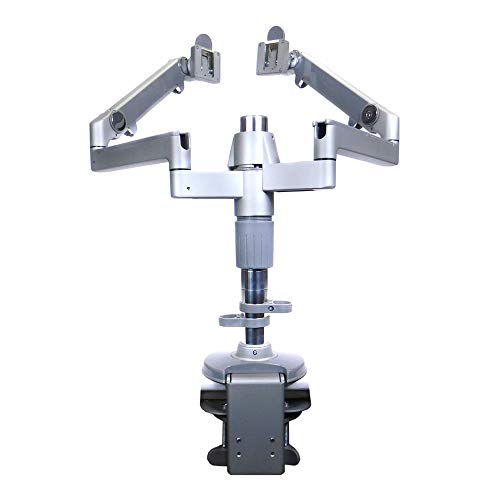
Supports one or two monitors

Fully compatible with traditional desks and sit/stand workstations alike.
Tips for Installing Shelves Securely
When installing shelves securely, it is essential to contemplate the stability and weight-bearing capacity of the structure. Secure shelves to wall studs, which are typically spaced every 16 inches, to guarantee stability. When using shelf brackets, check their weight capacity to avoid sagging or collapse. Before you hang the shelves, use a level to make certain they are straight. This prevents visual distortion and enhances aesthetics. Mark screw placements with a pencil to ensure accurate positioning at your desired height. If the distance between brackets exceeds standard limits, consider using plywood or additional framing supports for added stability. Implement these tips for a secure installation, promoting an ergonomic workspace above your computer monitor.
Recommended Products

Optimized Container Organization: this set includes 4 shipping container brackets, each with 4 tier 21-inch arms; It maximizes unused overhead space in confined container environments, keeping work areas tidy and freeing up floor space for cargo and operations

Material: Ceiling Mount Shelf Bracket Made from Metal, Stable load-bearing, High temperature paint baking process is not easy to deform. Strong bearing capacity, Safe and reliable. Height 110cm/43.3in, Width 30cm/11.8in.

Heavy-duty functional brackets can hold well over 100 lbs per stud they are attached to
Frequently Asked Questions
How High Should a Shelf Be Above a Computer Desk?
A shelf above a computer desk should ideally be positioned 22 to 24 inches high, incorporating shelf placement tips and desk organization ideas, while ensuring proper monitor alignment strategies to maintain visibility and ergonomic efficiency.
What Is the Best Height for Display Shelves?
The best height for display shelves often hovers around eye level, harmonizing with ergonomic setup. Ideal shelf spacing guarantees monitor alignment, enhancing comfort and visibility, while creating a workspace that dazzles with seamless organization.
Are Floating Shelves Out of Style in 2026?
Floating shelves remain stylish in 2026, reflecting current floating shelf trends. Their modern shelf designs and multifunctional aspects align with functional decor styles, ensuring they continue to enhance both aesthetics and practicality in contemporary spaces.
What Is the Rule for Floating Shelves?
What makes a floating shelf truly functional? Adhering to shelf design tips guarantees ideal shelf spacing of 8 to 12 inches, while respecting shelf weight limits assures safety and ease of access in any setting.

