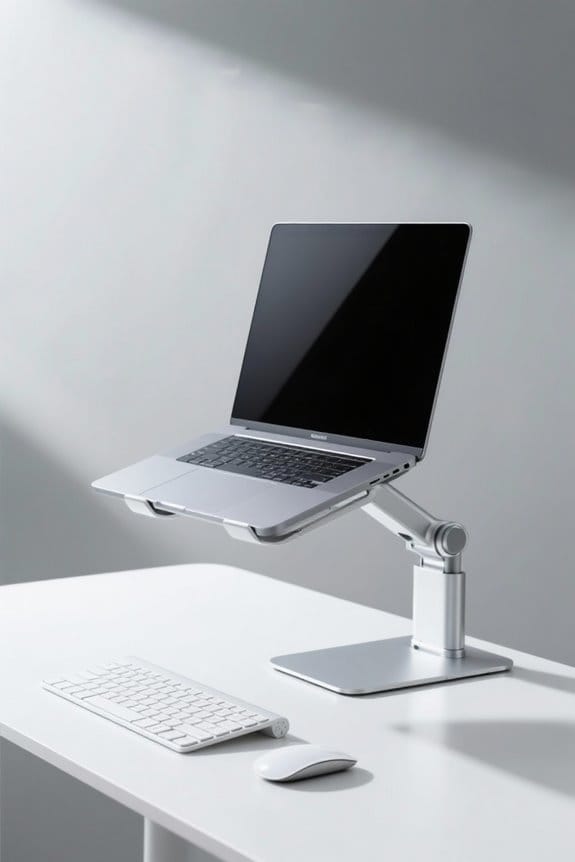
Setting up a workstation for petite users requires careful adjustments. A desk height of about 23 inches is ideal. Many standard desks are too high. Ergonomic chairs should provide support for shorter individuals while ensuring proper posture. Monitor placement is essential, with screens positioned at eye level. Footrests can enhance comfort. Creative storage options maximize space. Focusing on these adjustments supports productivity and well-being. Explore more ways to optimize comfort and efficiency in your workspace.
Key Takeaways
- Select a desk height of around 23 inches to ensure comfort and proper posture for petite users.
- Choose adjustable office chairs that accommodate shorter heights and provide adequate lumbar support.
- Position the monitor at or slightly below eye level, 20-30 inches away, to minimize neck strain.
- Utilize footrests to ensure feet are flat on the floor and promote better circulation.
- Incorporate an anti-fatigue mat when standing to enhance comfort and reduce strain during work.
Understanding the Ergonomic Needs of Petite Users
Understanding the ergonomic needs of petite users is crucial for creating an efficient and comfortable workspace. Standard desk heights average around 29 inches, but petite users typically need about 23 inches. This mismatch can lead to discomfort and poor posture. Moreover, many office chairs are designed for taller individuals, limiting options for proper seating. While some ergonomic solutions exist, such as adjustable furniture, their lowest settings often fail to accommodate shorter individuals adequately. Additionally, a footrest may help, but it does not fully solve the issue of dangling feet at standard-height desks. With a growing demand for inclusive office furniture, prioritizing customization for petite users is essential for enhancing comfort and productivity. An ergonomic feature like the MOFT Pencil Holder can also be beneficial for artists and designers who require additional support and functionality in their workspace.
Choosing the Right Desk Height for Comfort

Finding the right desk height is essential for the comfort and productivity of petite users. For individuals around 5’1”, the ideal desk height is approximately 23 inches, considerably lower than the standard 29 inches. Many commercially available desks do not accommodate this need, leading to discomfort and health issues due to improper ergonomics. While adjustable desks typically start at 28 inches, they may still not meet the requirements of petite users. Customization methods, such as cutting desk legs, can help achieve the desired desk height but may require additional skills. In addition, using a footrest can alleviate some discomfort, although it does not fully replace the need for a properly tailored desk height. Consideration of weight capacity is also essential as petite users may still require desks that support multiple monitors or heavy equipment to maintain productivity.
Recommended Products

Your purchase includes One Herman Miller Aeron Ergonomic Chair – Size C, graphite color


AmGood 30 in. Deep x 96 in. Long x 35 in. High heavy-duty industrial quality multi-purpose stainless steel utility table is a great fit for a variety of commercial and residential applications such as commercial kitchens, garages, labs, laundry room, etc.

Ergonomic Curved Edge Design: The smooth, rounded waterfall front edge supports better posture and reduces strain on forearms—ideal for all-day comfort while working, gaming, or creating.
Finding Petite-Friendly Chairs and Accessories

Comfort is essential for productivity, especially for petite individuals who often struggle to find suitable seating solutions. Standard office chairs frequently do not accommodate shorter heights, leading to poor posture and discomfort. Petite-friendly chairs, such as those offered by Global Tritek, provide customizable options including adjustable seat sizes and back heights for better ergonomic solutions. However, many ergonomic chairs can be costly, typically exceeding $700 CAD. In addition to finding the right chair, adjustable height desks are imperative, although they often start around 28 inches, which can be high for petite users. Footrests, like the Kensington footrest, provide extra support. Seeking petite-friendly seating and accessories is important to create a comfortable and productive workstation. A high back mesh design in certain office chairs promotes airflow, preventing sweat accumulation during extended use, and is an excellent feature for ergonomic support.
Recommended Products

Ergonomic Chairs Designed for Comfort: Our Leap office chair lets you dial in a precise fit in all the places you need it most, allowing you to customize your seating experience for optimal comfort and productivity

As an affiliate, we earn on qualifying purchases.
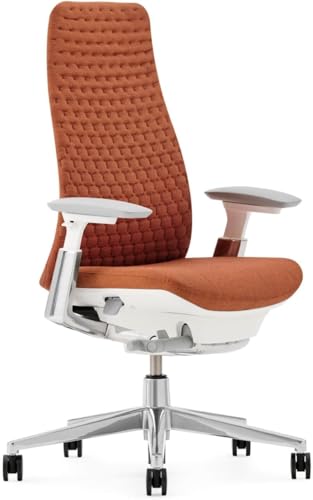
ERGONOMIC DESIGN: Inspired by the natural flexibility of a leaf, Fern is designed to distribute weight as you move. It features patented Wave Suspension that mimics the human body and cradles your spine, keeping you comfortable throughout the day.

Designed for Every Body Type: Industry-leading ergonomic office chair featuring 19 adjustment points ensure a tailored fit accommodating various heights and body proportions. Supports up to 330 lbs (150 kg)
Adjustments for Optimal Monitor Placement

Creating an ergonomic workspace requires proper monitor placement, especially for petite users. The monitor should be positioned at or slightly below eye level, ideally with the top of the screen aligned with the user’s line of sight. This setup helps reduce neck strain. The appropriate distance from the eyes to the monitor screen should be about 20-30 inches for comfortable viewing. Utilizing a monitor arm allows petite users to easily adjust their screens to that ideal height, ensuring better ergonomic alignment. Additionally, the monitor should tilt slightly backward, at a 10-20 degree angle, to provide a comfortable line of sight. Many monitor stands include built-in storage compartments and drawers to enhance organization and maximize desk space. These adjustments are essential for creating a supportive workstation that promotes productivity and comfort.
Recommended Products

Ergotron StyleView Sit-Stand Combo System. Maximum weight (capacity): 13.2 kg, Maximum screen size compatibility: 60.96 cm (24"), VESA mounting interfaces compatibility: 75 x 75, 100 x 100 mm. Height adjustment range: 0 - 640 mm, Tilt angle: -30 - 30, Pan range: 0 - 360. Colour of product: Aluminium, Material: Aluminium. Package width: 94.2 cm, Package depth: 56.1 cm, Package height: 28.2 cm

Ergotron StyleView Sit-Stand Combo Arm. Maximum weight (capacity): 13.2 kg, Maximum screen size compatibility: 60.96 cm (24"), VESA mounting interfaces compatibility: 75 x 75, 100 x 100 mm. Tilt angle: -30 - 30, Swivel angle range: 0 - 360, Turn angle: 360. Colour of product: Aluminium, Material: Aluminium, Plastic. Package width: 64.8 cm, Package depth: 28.2 cm, Package height: 56.1 cm

Quad Monitor Mount holds four monitors to clear desktop space and to allow ergonomic posture at your desk.
Creative Storage Solutions for Small Spaces

When working with limited space, petite users face unique challenges in organizing their work environment. Creative storage solutions are essential for maximizing functionality. Vertical space can be utilized effectively with wall-mounted shelves and pegboards, keeping items accessible without crowding small desks. Storage bins and drawer organizers streamline office supplies, reducing clutter on the surface. Multi-functional furniture, like desks with built-in storage compartments, offers dual purpose, enhancing utility. Compact options, such as under-desk drawers or rolling carts, allow for easy access while maintaining cleanliness. Modular storage systems can be tailored to fit specific needs, adapting to changes over time. Adopting these solutions guarantees small workspaces remain efficient and organized, greatly benefiting petite users in their daily tasks. When considering storage options, high-quality metal storage cabinets provide durability and security, making them an ideal choice for maintaining an organized workspace.
Recommended Products

Laser Class 2, 0.874 mW output power | Model Number:Pronto75
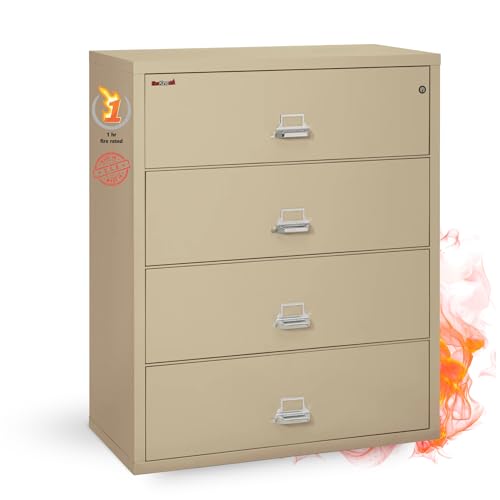
Four wide file drawers built with high sides for use with hanging folders and 1 follower block per drawer
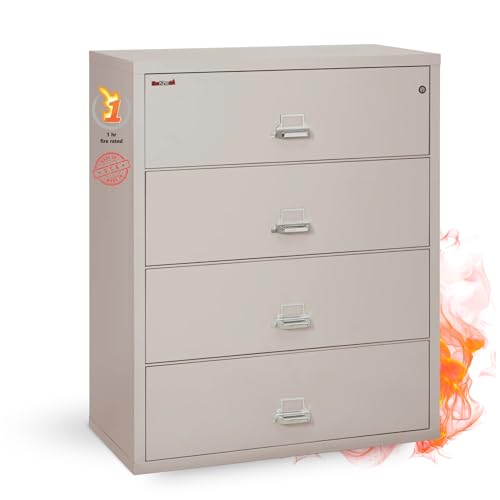
Four wide file drawers built with high sides for use with hanging folders and 1 follower block per drawer
Tips for Maintaining Comfort Throughout the Workday
Maintaining comfort throughout the workday is vital for petite users who face unique ergonomic challenges. To achieve this, users should ascertain their feet are flat on the floor or utilize a footrest. Proper monitor placement is significant; screens should be at or slightly below eye level to reduce neck strain. Regularly alternating between sitting and standing—every 20 minutes for sitting and 10 minutes for standing—can enhance circulation and reduce fatigue. Incorporating an anti-fatigue mat during standing can provide additional comfort. Ergonomic accessories, like adjustable chairs and monitor arms, help customize desk space for ideal support. By thoughtfully adjusting their workstations, petite users can create a more comfortable and efficient work environment. Additionally, considering ergonomic design in sit-stand desk converters can promote healthier work habits by reducing sedentary time and supporting better posture.
Recommended Products

The curved design of the wide wooden handrail firmly supports the arm.

The Seatcraft experience is where craftsmanship meets functionality. Engineered for unparalleled quality and ergonomic comfort. Sit with us and experience the decades of mastery and passion we’ve put into our seats. Don’t settle for less.
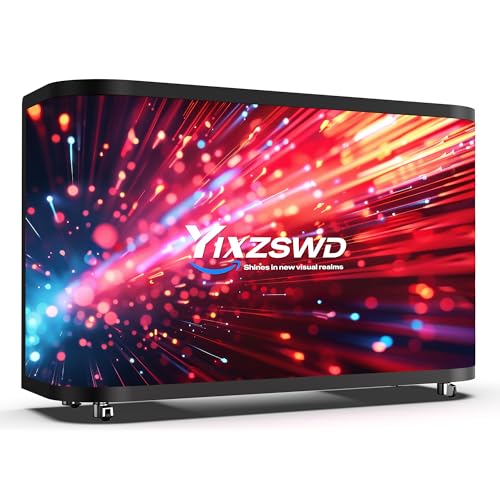
【P2.5 Flexible LED Screen】Equipped with a flexible LED screen with P2.5 pixel pitch, it has good high-definition display effect, with vivid, delicate and full-color images. It can adapt to various brand promotions, event promotions and dynamic content display, attract the attention of passers-by and enhance the overall texture of the venue.
Frequently Asked Questions
How to Set up a Desk in a Small Space?
To set up a desk in a small space, one can utilize compact desk solutions, incorporate multi-functional furniture, and implement vertical storage options. This increases functionality while maximizing limited area, ensuring an organized and efficient workspace.
What Is the Best Ergonomic Desk for a Short Person?
Research shows that 80% of desks are too high for shorter individuals. A compact desk with sit-stand options and user-friendly features, like the Desky Sit-Stand desk, enhances comfort and ergonomics for petite users.
When Adjusting Your Workstation, What Should You Adjust First?
When adjusting a workstation, the first priority is chair alignment to guarantee proper height and posture. Following that, monitor height should be set for comfortable viewing, and finally, keyboard placement must support natural wrist positioning.
What Is the Very First Thing You Should Do When Setting up Your Workstation?
“Measure twice, cut once.” To set up a workstation, first select petite-friendly chairs for comfort. Incorporating workstation essentials like adjustable desks fosters better ergonomics, enhancing productivity through thoughtful adjustments tailored to individual needs.